

HEIC TO JPG:
HEIC to JPG: Okay—so picture this:
You snap a killer shot on your iPhone. Maybe it’s your pup mid-zoomies. Or the kind of golden hour selfie you know needs to go on Instagram. You go to upload it. Or send it to a friend. Or try to open it on your laptop. And boom. “File not supported.â€Ugh. Classic HEIC.
What Even Is HEIC?
HEIC stands for High Efficiency Image Coding. It’s Apple’s way of saying, “Hey, we’re gonna save space without making your photos look bad.†Sounds nice, right? And honestly—it is nice. Kinda magical, actually. Photos stay super crisp, file sizes stay low, your storage says thank you. But there’s a catch. HEIC only really works… if you stay inside the Apple bubble. Try opening one of those files on an old PC? Or uploading it to a random website? Yeah, not happening.
What Even Is JPG?
Alright, let’s break it down—JPG (or JPEG) stands for Joint Photographic Experts Group (fancy, right?). It’s one of the most common image formats on the planet.Why? Because it just works. Everywhere.Websites love it. Social media runs on it. Your phone, your computer, your grandma’s 2009 digital photo frame? Yup—JPG friendly. It compresses images nicely, meaning the file sizes stay small, but the photos still look pretty great. Perfect balance of quality and convenience.So, when someone says “convert to JPG,†they’re basically saying, “make this photo easy to use anywhere.†And that’s why it’s still the internet’s favorite image format.
And if you’re wondering which one to use?
Check out Writecream’s HEIC to JPG Converter. It’s kind of a life-saver.
Why It’s Actually Worth It What makes it different?
✅ AI does the heavy lifting – You don’t lose quality. No fuzz. No blur.
✅ Batch convert – Upload a ton of HEICs at once. One click, done.
✅ Smart resizing – Your files get leaner, but still look amazing.
✅ No login required – Seriously. No sign-ups. No spam. Just convert and go.
Let’s Wrap This Up
HEIC is cool and all. Modern, efficient, kind of sleek.
But the world still runs on JPGs. And until that changes? You’re gonna need a way to bridge the gap.
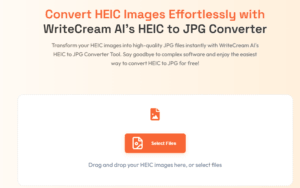
Writecream’s converter makes that jump effortless. One click. Zero stress. No blurry photos. No “file not supported†pop-ups.
DROP YOUR FILE HERE

Just smooth, sharp, usable images. Anywhere. Anytime.
Give it a go. It’s free, it’s fast—and honestly, it just works.
Join Writecream for FREE!
In a few clicks and under 30 seconds, generate cold emails, blog articles, LinkedIn messages, YouTube videos, and more — no credit card required.
Start for FREE