Introduction
Writing any blogpost and getting it ranked on the internet starts with one of the most important steps that is setting up strong SEO titles, meta descriptions, and content outlines. These things help the search engines to understand your page and help the readers decide whether they want to check your content or not.
The Writecream SEO Editor, powered by the Lexi AI Agent, helps you in this process by guiding you step by step. Even if you’re new to SEO & don’t have basic knowledge about it still you can create well structured foundations for your content without getting confused.
When Should You Use Creating SEO Titles, Meta Descriptions & Outlines?
You must focus on Creating SEO Titles, Meta Descriptions & Outlines
- When you are writing a new article or a blog post.
- When you want a clear structure for your writings.
- When you want your article to look organized properly.
- When you want your content to get ranked in the search engines.
- When you want better visibility.
- When you want to follow proper guidance instead of random guesswork.
Basically, this step needs to be done before starting your writing so that everything is organized properly.
Step-by-Step Guide: Getting Started with Creating SEO Titles, Meta Descriptions & Outlines
This part shows you how to set up your content writing foundation using the Writecream SEO Editor and Lexi AI Agent.
Step 1: Accessing the Writecream SEO Editor
To get started, you first need to open the SEO Editor tool from your Writecream account.
Follow these steps:
- Log in to your Writecream dashboard
- Go to the SEO Tools section
- Open the Lexi AI Agent & SEO Editor using this link:
https://app.writecream.com/seo-query
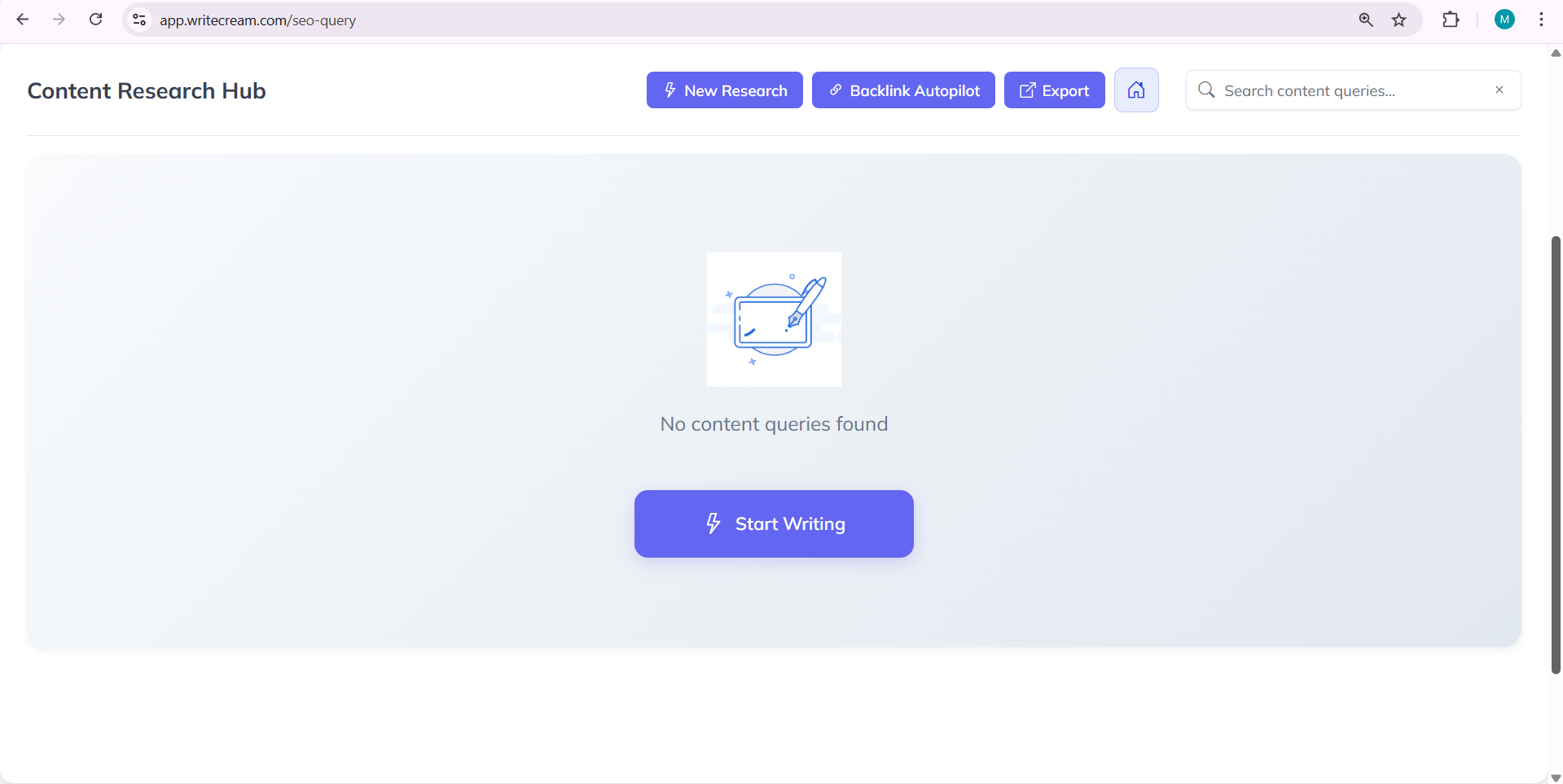
Once the page opens, you’ll see the Lexi AI interface. This is where you’ll create SEO Titles, Descriptions & outlines for your writings.
Step 2: Understanding the Role of Lexi AI Agent
Before starting your writing let’s understand what exactly Lexi AI Agent does for you. It is not just another writing tool. It helps you in planning and structuring your content.
Lexi AI helps by:
- It suggests you SEO friendly titles for your article or blog posts.
- It helps you in writing clear meta descriptions.
- It helps you in creating properly structured outlines for your content.
- It helps you in writing content which is simple and easy to read.
You can take Lexi AI as your content planning assistant that will help you in each step by giving and providing you with properly researched suggestions..
Step 3: Starting Your First SEO Research
To begin using the SEO Editor, you need to start a new research session.
Follow these steps:
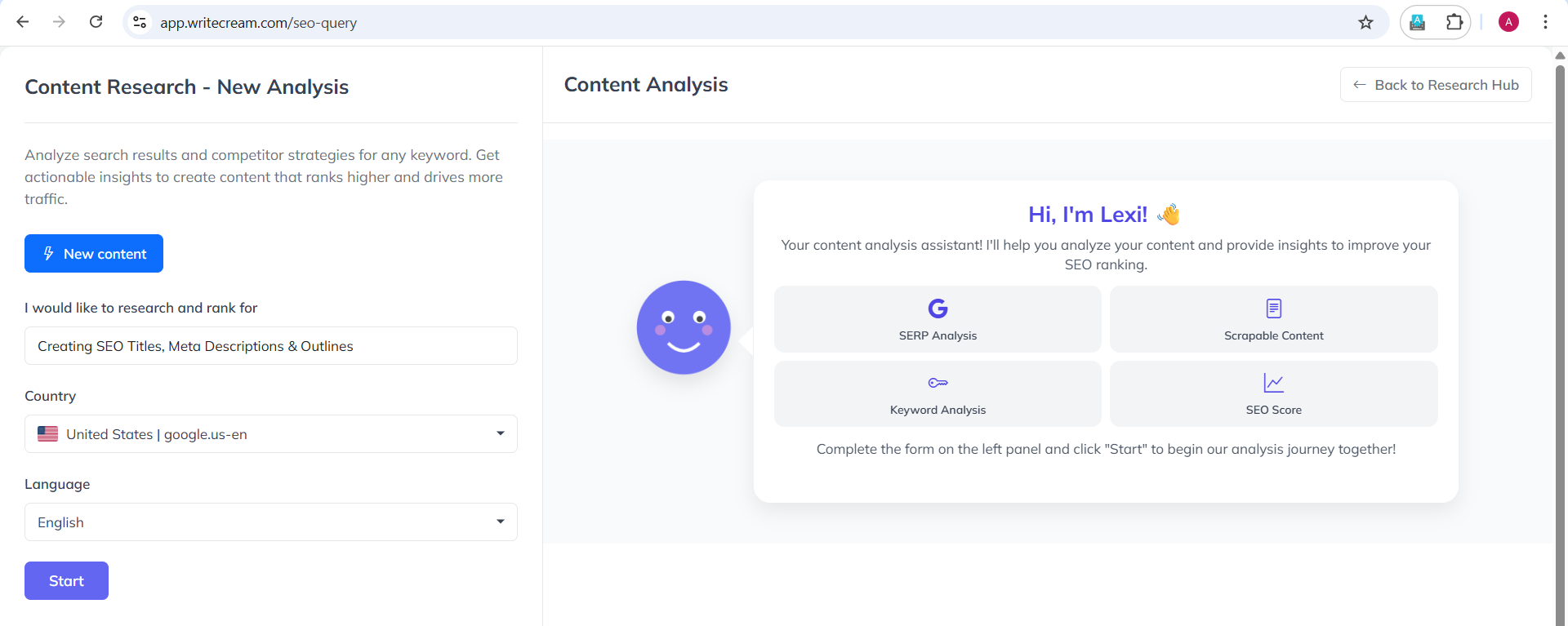
- Click on “New Research”
- Enter your target keyword (for example: create SEO titles)
- Select the country you want to rank in
- Choose the language for your content
- Click “Start”
This step helps Lexi understand what your content is about so it can prepare accurate titles,
Selecting the correct country and language is very important as search results change based on geographical location and language and with this Lexi AI will analyze the specific country’s Google result & target audience.
Once you click on start the research, Lexi AI will begin scanning the similar pages and articles available on Google for your keyword. It collects useful data and insights which will help you in writing your content with proper SEO tiles & Meta descriptions.
Step 4: How Lexi AI Analyzes Search Results
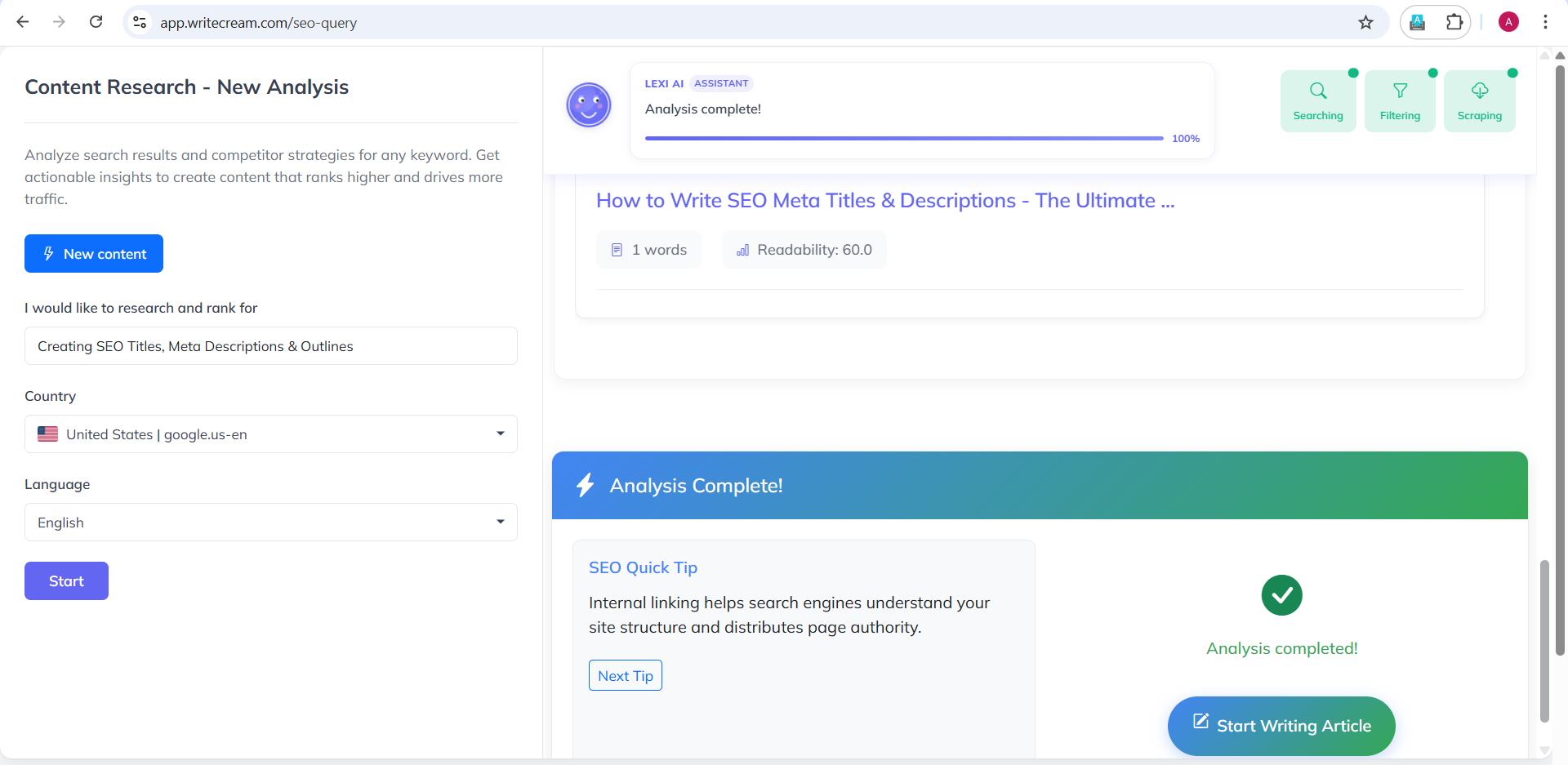
Once you click on ‘Start’ Button Lexi AI runs a background process to understand how the content should be structured for your topic, this process usually takes about 3 to 5 minutes
During this time, Lexi does the following:
- Scan the articles on the internet for understanding structure format.
- Identifies useful headings and outlines for your article or blog post.
- Prepares a basic structure from findings it has got during this process.
You’ll see a progress indicator while this analysis is running. During this time, you don’t need to do anything. Lexi handles everything automatically.
This step is very important because all the future steps, including writing, and suggesting SEO titles & Outlines are based on this analysis. It makes sure the content you are generating is all based on well reasearched data not on any guesses.
Step 5: Reviewing the Analysis Results
After this process is complete, Lexi AI will present you an overview structure that will help you in planning your content clearly.
You’ll be able to see:
- Lexi AI will give you some title ideas based on the research.
- A ready to use outline for your blog post.
- Proper step to step guidance for your content structure.
This information helps you in understanding what are the SEO trends of and how you can use it to create your content and make it better.
You don’t need to remember everything The SEO Editor tool will guide you at every step and giving you insights accordingly
Step 6: Moving from Research to Writing
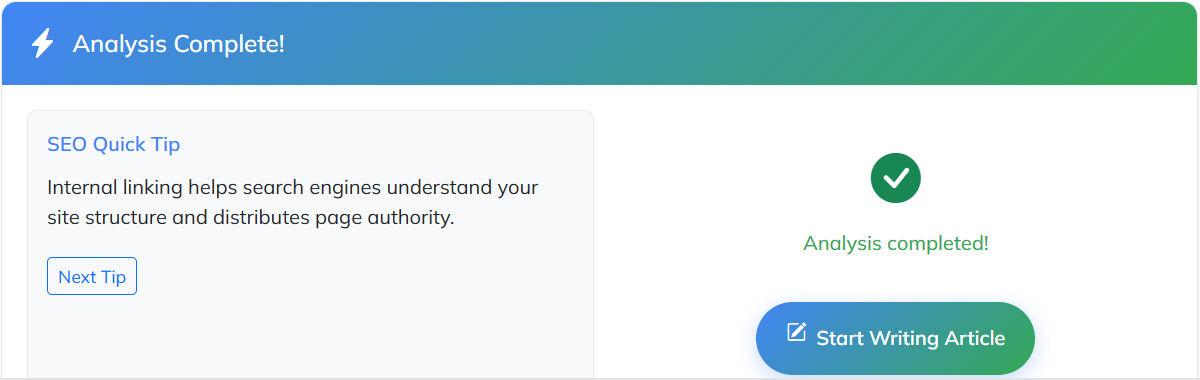
After reviewing the research results, you’ll get an option called “Start Writing Article.”
Click on this button and it will take you from the research phase to the SEO Editor and writing page. This is where the actual content writing will start..
In this stage:
- SEO titles can be finalized.
- Meta descriptions are generated at this stage.
- Ready to use Outlines are generated.
By this stage, Lexi Ai has done all the hard work. Now your content foundation is complete, and writing becomes much easier. .Once you’re ready, click Start Writing Article.
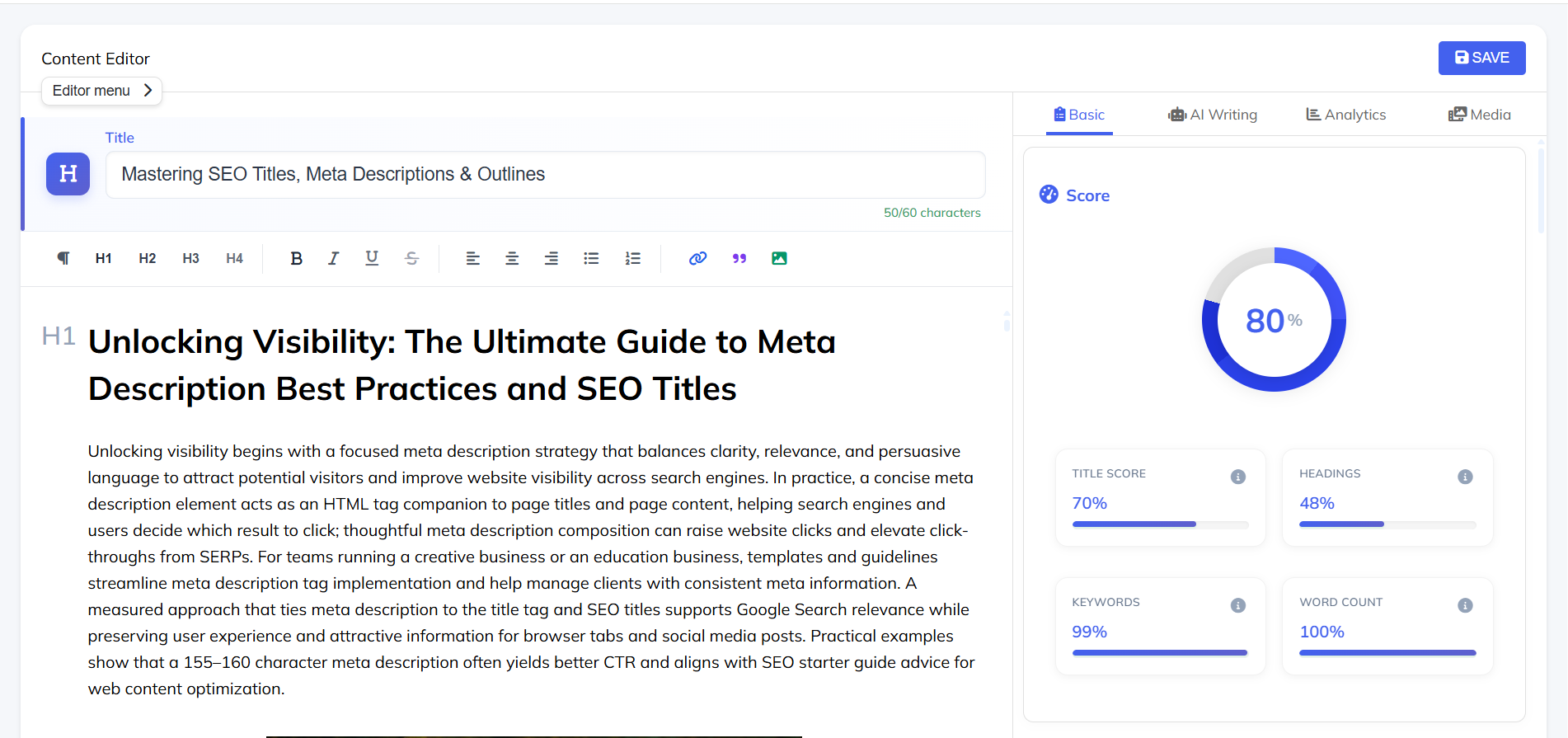
Understanding the SEO Editor Interface
Once you enter the SEO Editor, you’ll see that it is divided into different parts. Each part has a specific purpose and which helps you in writing your article.
Here’s what you’ll see:
- Editor Area– This is where you write and edit your content
- SEO Score Panel– It shows real time score on how optimized your content is
- Analysis Tabs– Includes basic analysis, AI writing tools, analytics, and media options
- Suggestions Panel– Displays helpful improvements which can be done based on competitor data
The most important thing to know is that the SEO Editor works in real time. As you keep on writing or making any changes, the SEO score and suggestions get updated instantly, helping you improve your content step by step.
Pro Tips & Best Practices
- Always start with Lexi AI to create titles, descriptions, and outlines before writing.
- Keep your blog posts titles simple and clear.
- Follow the given outlines but not blindly, adjust it whenever necessary to match your writing style
- Always review AI suggestions before finalizing it for writing content.
Common Mistakes to Avoid
- Avoid writing without a title or outline. It removes the biggest advantage.
- Copying the meta descriptions word for word without review removes the authenticity from your writings
- Completely Ignoring structure and flow suggested by the Lexi AI
- Directly publishing your article without checking clarity
Avoiding these mistakes helps improve both readability and SEO.
Conclusion
The Writecream SEO Editor, powered by Lexi AI, helps you by removing the guesswork from creating SEO titles, meta descriptions, and outlines for your content. It is the foundation of good content. With the Writecream SEO Editor and Lexi AI Agent, this process becomes simple, easy and beginner friendly.
By setting up these things first, you save time, reduce confusion, and write with confidence. Once your foundation is ready, the rest of the content naturally falls into place.
Ready to get started?
Try the Writecream SEO Editor for free:
👉 https://app.writecream.com/seo-query
Start your first SEO research today and see how Lexi AI helps you create content that’s built to rank 🚀