
Use Writecream's AI to generate
Dating Profile Bio
Generate Dating Profile Bio for your dating app/site profile with Unicode characters, and cool symbol and wow your potential match using the custom tool at a very minimal cost. Try it for free today. No credit card is required.
Free forever, upgrade as your business grows!
Start using the Dating Profile Bio generator for free below
If you need help with content types and bio content, please refer to the video tutorial above or the detailed step-by-step instructions at the end of the page.
dating profile bio
Generate Dating Profile Bio with cool Fonts in these simple steps!
-
STEP 1
Login to your Writecream account & select Command Mode
From the dashboard, select Command Mode to get started.
-
STEP 2
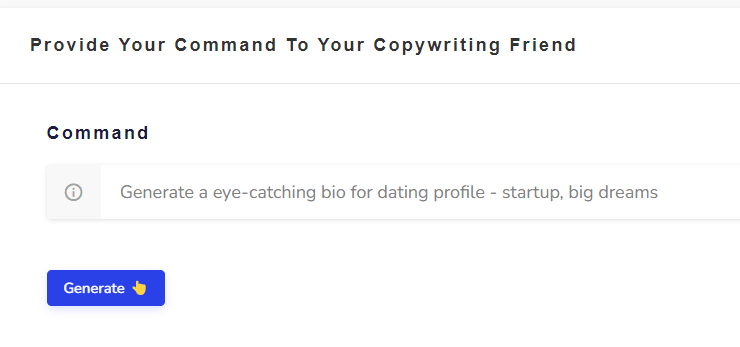
Enter the following command
Generate a eye-catching bio for dating profile - startup, big dreams Change the command as required. You simply need to modify the words at the end of the command. Here's another example: Generate a eye-catching bio for dating profile - influencer, SNU
-
STEP 3
Click on the Generate button again (if required) 😃
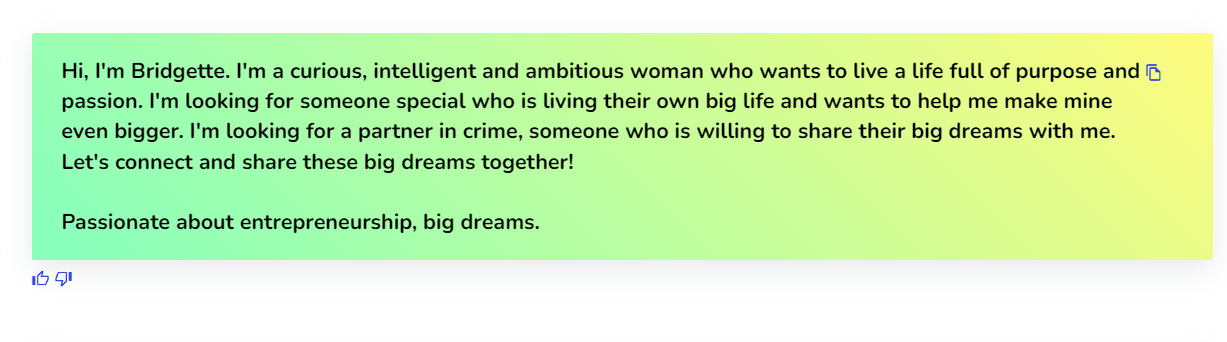
If the generated bio are not in line with your expectations, just click on the Generate button again and the AI will generate another set of bio. Hit on the Generate button as many times as you want to generate different bio for your dating profile🥳
-
STEP 1
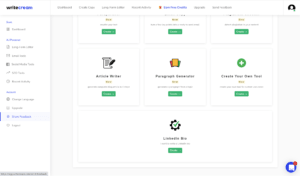
Go to the Create Your Own Tool on the dashboard
Log in to the writecream dashboard and select the custom tool listed over there
-
STEP 2
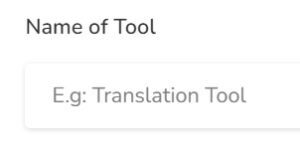
Enter the Name
You need to add the name you want to give to your personalized tool. Eg- Dating Profile Bio Generator
-
STEP 3
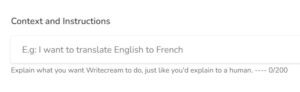
Enter the Description/Context
You have to write about what your tool will be doing, i.e, explain the use case.
-
STEP 4
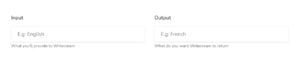
Enter the Input and Output
Now, you need to enter the input that you will provide to Writecream and the output that you want Writecream to return.
-
STEP 5
Adding the Input-Output Examples
Now you will need to provide 3-5 examples of how you want the tool to perform. This will help AI understand what you are expecting from the tool and help decide the accuracy of the content generated. Some examples of the same are described below.
-
STEP 6
Choose Your Custom Tool From The Dashboard
Once you create a custom tool, it gets added to the end of the dashboard in Writecream. To use it open your dashboard and scroll to the end. Click on your custom tool to use it.
-
STEP 7
Enter The Input to Get Your Customized Content from Whitecream
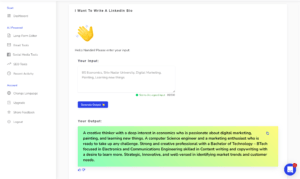
Enter the input in the area provided and click the generate output button. There you have it, your personalized Dating Profile Bio.

- 😰My greatest fear isn't starting. My greatest fear is not making it to the top.
- ˜ ï¸Yup, I'm just another Instagram influencer
- 😦Friends knock on the door. Best friends walk into your house and start eating.
- 😇I am not afraid... I was born to do this.
- ðŸ˜Rollin' with the homies
- Instructions For Advanced Users
- Dating Profile Bio Generator Tool
And ta-da, you will get your AI-generated Personalized Dating Profile Bio with special characters and fancy fonts using our amazing tool in seconds!
To generate a Dating Profile bio, you will have to use the Create Your Own Tool option in the Writecream dashboard. This will only take 2 minutes to setup and will give the best results that meet your expectations and requirements.
Use Writecream's Command Mode To Generate Acronyms & Much More
Besides acronyms, you can use the Command Mode to generate any kind of textual content, like stories, product descriptions, ads and more. Just tell the AI what you want, like you would to a human. Here's a quick example: Generate a romantic story on how Jack meets Jennifer at a cruise. Try now for free. No credit card required.
Keep exploring
Related free tools
More AI tools you might like — all free, no login required.