
Use Writecream's AI to generate
Facebook Bio
Who are you is one of the most important things you can know about yourself. This is the first thing that your audience will see before they decide to follow your profile on Facebook. You can use our Facebook generator tool to create a professional-looking template for your bio quickly and easily.
Make the custom tool with default settings at a very minimal cost to increase conversion rates and lure your prospective customer. Try it for free today. No credit card is required.
Free forever, upgrade as your business grows!
Start generating a Facebook bio for free below
If you need help in the merge process, please refer to the video tutorial above or the detailed step-by-step instructions at the end of the page and output file with action examples.
Facebook bio
Make your own Facebook Bio Generator Tool in these simple steps!
-
STEP 1
Login to your Writecream account & select Command Mode
From the dashboard, select Command Mode to get started.
-
STEP 2
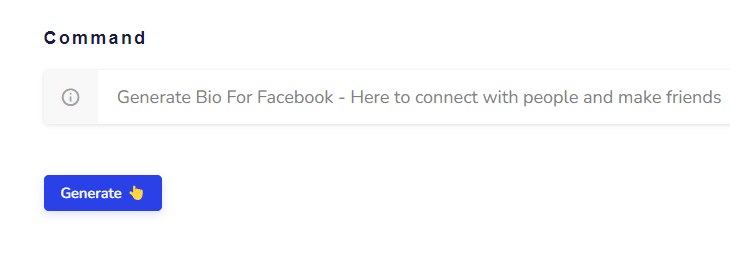
Enter the following command
Generate Bio For Facebook - Here to connect with people and make friends Change the command as required. You simply need to modify the words at the end of the command. Here's another example: Generate Bio For Facebook - I want my followers to know more about me and how I can entertain them by delivering content that will be interesting for them
-
STEP 3
Click on the Generate button again (if required) 😃
If the generated facebook bio are not in line with your expectations, just click on the Generate button again and the AI will generate another set of bio. Hit on the Generate button as many times as you want to generate different bio for facebook and attract more people towards your profile 🥳
-
STEP 1
Go to the Create Your Own Tool on the dashboard
Log in to the writecream dashboard and select the custom tool listed over there
-
STEP 2
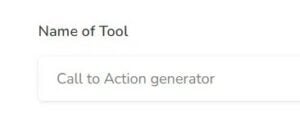
Enter the Name
You need to add the name you want to give to your personalized tool Eg- Facebook Bio Generator
-
STEP 3
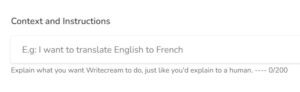
Enter the Description/Context
You have to write about what your tool will be doing, i.e, explain the use case
-
STEP 4
Enter the Input and Output
Now, you need to enter the input that you will provide to Writecream and the output that you want Writecream to return
-
STEP 5
Final step to create tool
After entering the inputs & outputs hit enter to the "Create new tool 👆- button
-
STEP 6
Your tool can be found on Dashboard
Hurray!! 🥳 Your tool is successfully created and can be found on dashboard
-
STEP 7
It's time to test the tool 😉
Let's add some inputs to test the tool and hit the generate output button
-
STEP 8
Here's the result
Yepp tool is working properly as expected... You had created an AI tool in just a matter of seconds 😃








- Instructions For Advanced Users
- Facebook Bio Generator Tool
And ta-da, you will get your AI-generated Personalized Facebook Bio Generator in minutes!
Adding the Input-Output Examples
Use Writecream's Command Mode To Generate Acronyms & Much More
Besides acronyms, you can use the Command Mode to generate any kind of textual content, like stories, product descriptions, ads and more. Just tell the AI what you want, like you would to a human. Here's a quick example: Generate a romantic story on how Jack meets Jennifer at a cruise. Try now for free. No credit card required.
Keep exploring
Related free tools
More AI tools you might like — all free, no login required.