Introduction
Optimizing your content properly is one of the most important steps if you want your blog post or article to perform well on search engines. On-page SEO & optimization helps search engines understand your content better and helps readers get a smooth and clear reading experience.
The Writecream SEO Editor, powered by the Lexi AI Agent, helps you with on-page SEO by guiding you at every step. Even if you don’t have much knowledge about SEO, you can still optimize your content properly without feeling confused or overwhelmed.
When Should You Use On-Page SEO & Optimization?
You should focus on on-page SEO & optimization:
- When you are writing a new article or blog post
- When your existing content is not ranking well
- When you want your content to be properly structured
- When you want better readability and flow
- When you want your content to perform better on search engines
- When you want proper guidance instead of random SEO guesswork
Basically, on-page SEO should be done while writing your content and again before publishing, so that everything is optimized properly.
Step-by-Step Guide: Getting Started with On-Page SEO & Optimization
This section will help you understand how to apply on-page SEO using the Writecream SEO Editor and Lexi AI Agent in a simple and easy way.
Step 1: Accessing the Writecream SEO Editor
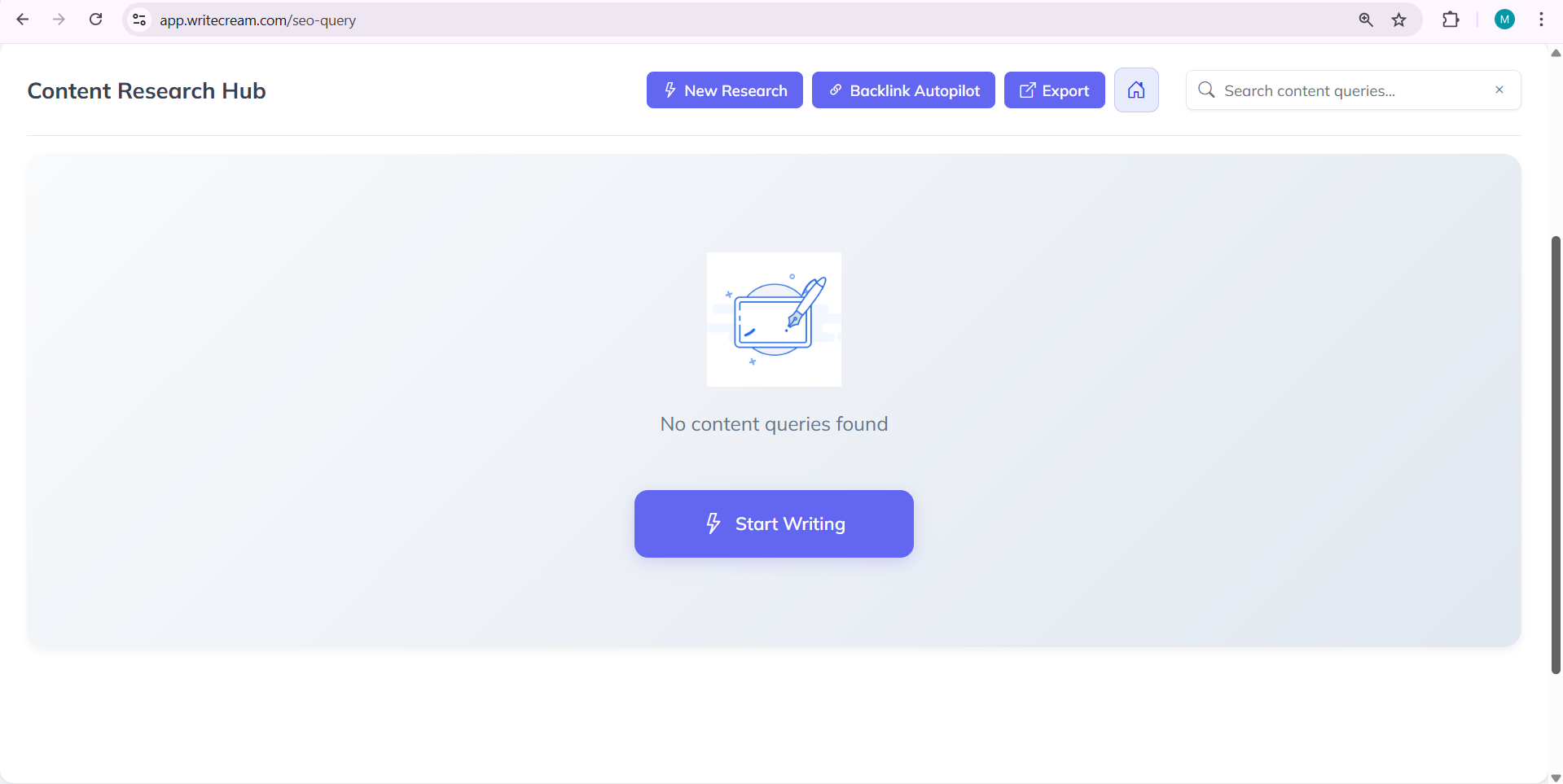
To get started, you need to open the SEO Editor from your Writecream account.
Follow these steps:
- Log in to your Writecream dashboard
- Go to the SEO Tools section
- Open the Lexi AI Agent & SEO Editor using this link:
https://app.writecream.com/seo-query
Once the page opens, you’ll see the Lexi AI interface. This is where you’ll write and optimize your content using on-page SEO.
Step 2: Understanding the Role of Lexi AI Agent
Before optimizing your content, it’s important to understand what Lexi AI Agent actually does for on-page SEO.
Lexi AI is not just a writing tool. It helps you optimize your content while you write.
Lexi AI helps by:
- Showing real-time SEO scores
- Suggesting improvements for headings and structure
- Helping you use keywords naturally
- Improving readability and content flow
- Guiding you on what needs optimization
You can think of Lexi AI as your on-page SEO assistant that helps you improve your content step by step.
Step 3: Starting Your First SEO Research
To begin on-page SEO, you first need to start a research session.
Follow these steps:
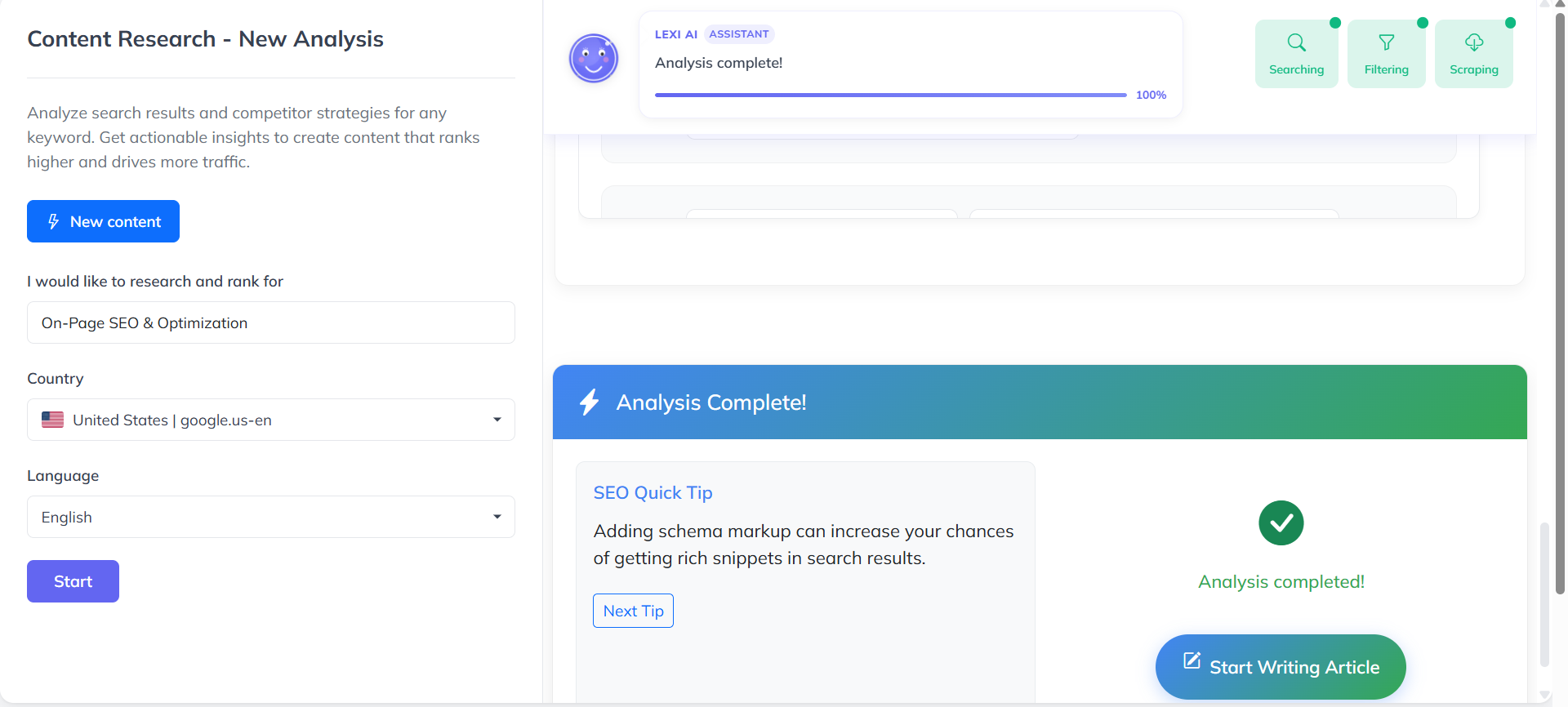
- Click on “New Research”
- Enter your target keyword
- Select the country you want to rank in
- Choose the language for your content
- Click “Start”
This step helps Lexi AI understand your topic so it can prepare proper on-page optimization guidance.
Selecting the correct country and language is very important because SEO requirements can change based on location and audience.

Step 4: How Lexi AI Analyzes Search Results
Once you click on the Start button, Lexi AI begins analyzing data in the background. This process usually takes around 3 to 5 minutes.
During this time, Lexi:
- Studies how content is usually structured
- Identifies important sections and headings
- Prepares optimization benchmarks for your content
You’ll see a progress indicator while this process runs. You don’t need to do anything during this time.
This step is important because all on-page SEO suggestions are based on this analysis, not on guesses.
Step 5: Reviewing the Analysis Results
After the analysis is complete, Lexi AI presents an overview that helps you understand how your content should be optimized.
You’ll be able to see:
- Suggested structure for your content
- Areas that need optimization
- SEO benchmarks to follow
This information helps you understand how to improve your content step by step.
You don’t need to remember everything. The SEO Editor will guide you automatically as you write.
Step 6: Moving from Research to Writing
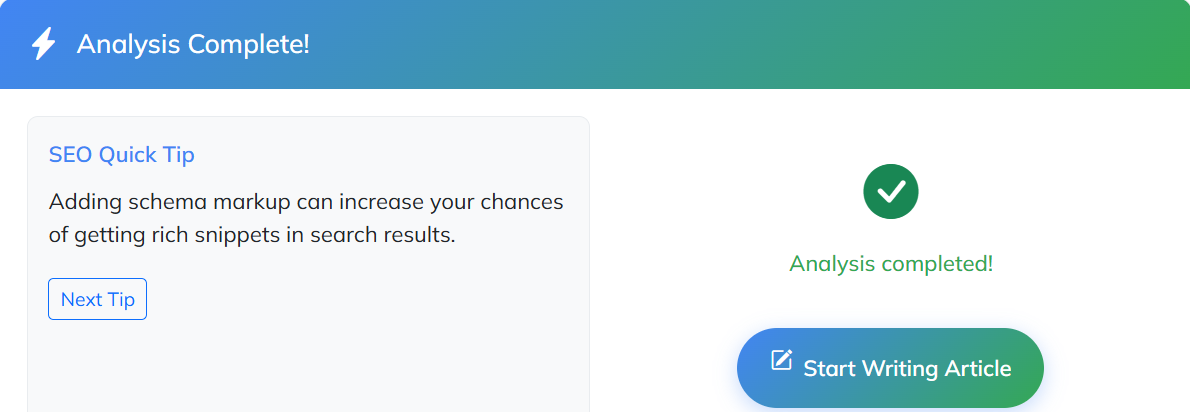
After reviewing the research results, you’ll see an option called “Start Writing Article.”
Clicking this button takes you to the SEO Editor and writing environment. This is where the actual content writing and optimization begins.
At this stage:
- SEO scores appear in real time
- Optimization suggestions show as you write
- Content improvements can be applied instantly
By this stage, Lexi AI has already done the groundwork, making optimization much easier.
Understanding the SEO Editor Interface
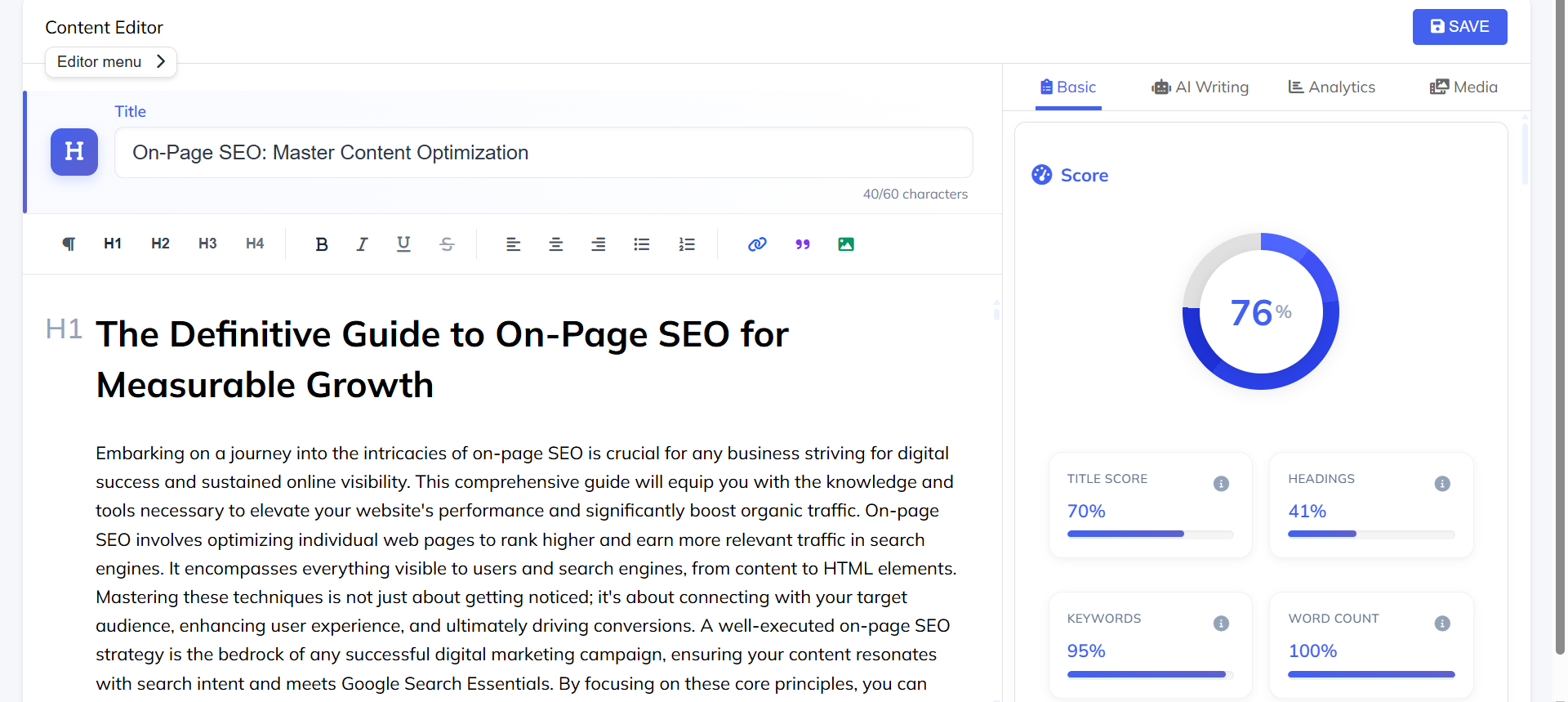
Once inside the SEO Editor, you’ll notice different sections, each with a specific purpose.
Here’s what you’ll see:
- Editor Area: Where you write and edit content
- SEO Score Panel: Shows real-time optimization score
- Analysis Tabs: Includes AI writing tools, analytics, and media options
- Suggestions Panel: Displays on-page SEO improvements
The most important thing to understand is that everything updates in real time. As you write or edit, SEO scores and suggestions update instantly.
Pro Tips & Best Practices
- Apply on-page SEO while writing, not after finishing
- Keep paragraphs short and easy to read
- Use headings properly to break content
- Use keywords naturally, not forcefully
- Always review AI suggestions before applying them
Common Mistakes to Avoid
- Keyword stuffing
- Writing long blocks of text without structure
- Ignoring headings and formatting
- Blindly following every suggestion
- Publishing content without final optimization review
Avoiding these mistakes can improve both content quality and SEO performance.
Conclusion
On-page SEO & optimization is a very important part of creating content that ranks well and reads smoothly. The Writecream SEO Editor, powered by Lexi AI Agent, removes the confusion by guiding you through the entire optimization process.
With real-time feedback and clear suggestions, you can optimize your content confidently—even if you are new to SEO. When on-page SEO is done properly, your content becomes more structured, readable, and search-engine friendly.
Ready to get started?
Try the Writecream SEO Editor for free:
👉 https://app.writecream.com/seo-query
Start optimizing your content today and see how Lexi AI helps you create content that’s built to rank 🚀