
Convert WebP to JPG Instantly with WriteCream
Simplify your image workflows with WriteCream’s WebP to JPG Converter. Instantly convert .webp images into widely supported .jpg format—no software, no upload, no technical setup required. Perfect for developers, designers, content creators, marketers, and students handling websites, CMS uploads, social media visuals, or UI assets. Whether you're optimizing images for compatibility, preparing files for older tools, or ensuring cross-browser rendering, trust WriteCream's WebP to JPG Converter to deliver clean, compressed, high-quality JPGs instantly and securely—right in your browser.
Convert WebP → JPG | Download Instantly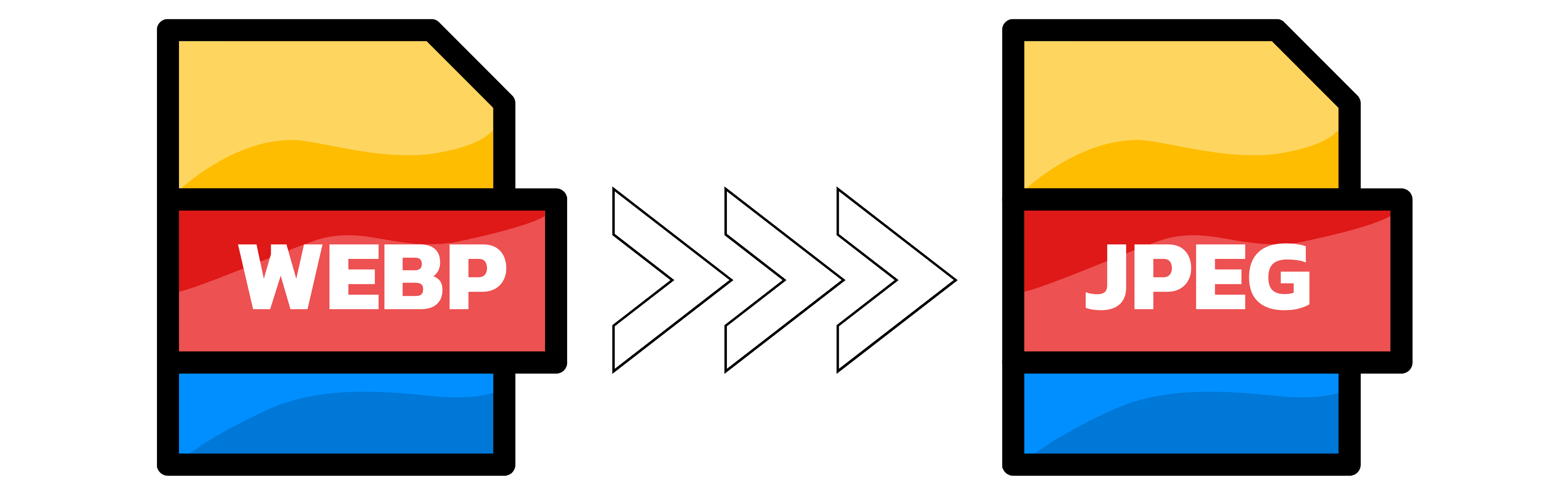
WebP → JPG Converter
OR

HTML Minifier
Minify your HTML code to reduce file size and improve performance. Perfect for developers working with HTML.

JS Minifier
Minify your JavaScript code to reduce file size and improve performance. Perfect for developers working with JavaScript.
HTML Formatter
Format your HTML code to make it more readable and maintainable. Perfect for marketing campaigns.
JavaScript Formatter
Format your JavaScript code to make it more readable and maintainable. Perfect for developers working with JavaScript.
Other Tools

AI Comedy Story Generator
Turn your ideas into hilarious stories! Create witty narratives and side-splitting tales with our AI-powered comedy generator.

AI Horror Story Generator
Create terrifying horror stories, haunted narratives, and nightmarish tales with our AI-powered horror story generator.

AI to Humanizer Tool
Transform AI-generated text into natural, human-like content. Bypass AI detection and make your writing more engaging and relatable.
PDF Summarizer
Create stunning, high-quality images and eye-catching visuals in seconds. Perfect for social media, marketing, and creative projects.

Study Guide Generator
Create comprehensive study guides with key concepts, summaries, and practice questions. Perfect for students and educators.
UI to Code Converter
Transform your UI designs into clean, production-ready code instantly. Get pixel-perfect HTML and CSS with AI-powered conversion.
AI Comedy Story Generator
Turn your ideas into hilarious stories! Create witty narratives and side-splitting tales with our AI-powered comedy generator.
AI Horror Story Generator
Create terrifying horror stories, haunted narratives, and nightmarish tales with our AI-powered horror story generator.
AI to Humanizer Tool
Transform AI-generated text into natural, human-like content. Bypass AI detection and make your writing more engaging and relatable.
PDF Summarizer
Create stunning, high-quality images and eye-catching visuals in seconds. Perfect for social media, marketing, and creative projects.
Study Guide Generator
Create comprehensive study guides with key concepts, summaries, and practice questions. Perfect for students and educators.
UI to Code Converter
Transform your UI designs into clean, production-ready code instantly. Get pixel-perfect HTML and CSS with AI-powered conversion.
Premium Features
WebP to JPG Converter – High-Speed, Lossless, and Private
Convert your WebP images to universally supported JPG format in milliseconds. Whether you're optimizing images for websites, fixing compatibility issues, or preparing files for design software—our WebP to JPG Converter ensures flawless, high-quality output every single time. No installs, no uploads, and absolutely no compromises.
Powerful One-Way Conversion Engine
Our browser-based WebP to JPG Converter tool is built exclusively for WebP to JPG conversion—delivering unmatched speed, accuracy, and reliability. With features like: High-quality JPG output with quality control Batch conversion support Transparency handling with background fill Real-time preview & compression feedback Zero loss in visual fidelity
Bulk File Processing – Convert at Scale
Drag and drop multiple .webp files or upload in bulk to convert them all in a single click. Perfect for developers, marketers, designers, content teams, and photographers working with media-heavy projects using our WebP to JPG Converter.
Why Use This WebP to JPG Converter Tool?
Tens of thousands rely on this WebP to JPG Converter to simplify workflows and improve compatibility across platforms.
Intelligent Image Conversion
Automatically handles transparency, alpha channels, and unsupported metadata. Smart background filling ensures clean JPGs without black borders or broken visuals.
100% Free
Start using the tool right away—no friction, no sign-ups, no branding on output. Just clean JPGs, ready to use.
No Login Required
Everything happens in your browser. We don't upload, store, or log anything. You stay in full control of your data—ideal for confidential assets, sensitive designs, or client deliverables with our secure WebP to JPG Converter.
Cross-Device Compatibility
Use it on any device, anytime. Fully functional on mobile, tablet, or desktop across Chrome, Firefox, Edge, or Safari.
Blazing Fast Performance
Built using WebAssembly and optimized browser APIs, our WebP to JPG Converter processes thousands of images within seconds. Large 20MB+ images are no challenge.
How It Works – Convert Like a Pro in 3 Steps
Here's how to quickly convert your files with WriteCream's WebP to JPG Converter:
Upload Your WebP Files
Drag & drop, paste, or select one or more .webp images.
Adjust Output Settings
Choose JPG quality (1–100), define background color for transparent areas, and preview file size reduction instantly.
Convert and Download
Click Convert, then Download each file or all at once. No server involved. No waiting. No uploads with our WebP to JPG Converter.
Key Features
Precision Quality Control
Customize JPG output quality via a dynamic slider (1–100). Maintain detail for print or compress for web with full control.
Clean Background Fill
Choose a custom background color (white/black/custom) for transparent .webp files to avoid artifacts in JPG output.
Metadata Stripping
Remove unwanted EXIF or location metadata with a toggle. Keeps your JPGs lightweight and privacy-safe.
Comprehensive Benefits of Converting WebP to JPG
Private and Safe
All work is done locally in your browser. Your images never leave your machine—perfect for NDA-bound projects or private datasets.
Compatibility
JPGs are accepted universally—across all browsers, devices, platforms, design tools, CMS systems, and editors. Some platforms still don’t support .webp—this fixes that instantly.
Seamless Integration
Export clean data that plugs directly into your existing stack.
Zero Cost, Maximum Power
Use all features with no subscriptions, limits, paywalls, or ads. Whether you're a student, solo dev, enterprise engineer, or indie hacker—this tool delivers full power without constraints.
Developer & Designer Ready
Generate assets that can be dropped directly into React apps, Next.js blogs, CMS uploads, Figma designs, or HTML templates.
Who Needs This Tool?
Graphic Designers
Convert assets for compatibility with legacy tools that don’t support WebP.
Photographers & Creators
Share work with clients, social platforms, or editors that require JPG format.
Web Developers
Use JPGs for img> picture, or srcset fallback to ensure consistent rendering across all browsers.
Students & Educators
Learn how compression, transparency, and image format differences work—visually and practically.
Hackathon Teams & Indie Creators
Speed up media prep with no external tools. Convert and compress assets in seconds.
Go Beyond Conversion – Learn More
Master image handling by learning real-world techniques to optimize, compress, and transform your images like a seasoned frontend developer, digital designer, or performance engineer.
10 Real-World Reasons You’ll Need to Convert WebP to JPG in 2025
WebP is powerful—but it’s not always compatible. Learn where JPG still dominates and how to navigate common conversion situations with our WebP to JPG Converter. Learn how to: Convert WebP assets for CMS and email compatibility Fix unsupported formats in design tools and editors Serve JPG as fallback for legacy browsers Batch process WebP screenshots for sharing or publishing Optimize image size for newsletters, blogs, and mobile apps
Read: Practical WebP to JPG Conversion GuideWhy Image Format Compatibility Still Matters in Modern Development
Even in 2025, not all systems support WebP. Discover how format mismatches cause broken images, rendering bugs, and layout shifts—and how a solid WebP to JPG converter avoids those problems. Explore how to: Ensure UI consistency across browsers Avoid email client image delivery issues Strip metadata for GDPR compliance Preserve image clarity with the right compression level Handle transparency and background color during format change
Read: Image Format Compatibility Tips for 2025The Complete WebP to JPG Optimization Handbook
A deep dive into how WebP and JPG differ technically, and how to get the best result when converting. Deep dive into: How lossy compression works in WebP vs JPG Background color filling for transparent WebPs Choosing the ideal JPG quality setting Optimizing converted images for SEO and Lighthouse audits Handling DPI, resolution, and color profiles
Read: Advanced WebP to JPG Conversion & Optimization TechniquesFrequently Asked Questions (FAQs)
Convert WebP to JPG Instantly with WriteCream
Simplify your image workflows with WriteCream’s WebP to JPG Converter. Instantly convert .webp images into widely supported .jpg format—no software, no upload, no technical setup required. Perfect for developers, designers, content creators, marketers, and students handling websites, CMS uploads, social media visuals, or UI assets. Whether you're optimizing images for compatibility, preparing files for older tools, or ensuring cross-browser rendering, trust WriteCream's WebP to JPG Converter to deliver clean, compressed, high-quality JPGs instantly and securely—right in your browser.
Convert WebP → JPG | Download Instantly
WebP → JPG Converter
OR
HTML Minifier
Minify your HTML code to reduce file size and improve performance. Perfect for developers working with HTML.
JS Minifier
Minify your JavaScript code to reduce file size and improve performance. Perfect for developers working with JavaScript.
HTML Formatter
Format your HTML code to make it more readable and maintainable. Perfect for marketing campaigns.
JavaScript Formatter
Format your JavaScript code to make it more readable and maintainable. Perfect for developers working with JavaScript.
Other Tools
AI Comedy Story Generator
Turn your ideas into hilarious stories! Create witty narratives and side-splitting tales with our AI-powered comedy generator.
AI Horror Story Generator
Create terrifying horror stories, haunted narratives, and nightmarish tales with our AI-powered horror story generator.
AI to Humanizer Tool
Transform AI-generated text into natural, human-like content. Bypass AI detection and make your writing more engaging and relatable.
PDF Summarizer
Create stunning, high-quality images and eye-catching visuals in seconds. Perfect for social media, marketing, and creative projects.
Study Guide Generator
Create comprehensive study guides with key concepts, summaries, and practice questions. Perfect for students and educators.
UI to Code Converter
Transform your UI designs into clean, production-ready code instantly. Get pixel-perfect HTML and CSS with AI-powered conversion.
AI Comedy Story Generator
Turn your ideas into hilarious stories! Create witty narratives and side-splitting tales with our AI-powered comedy generator.
AI Horror Story Generator
Create terrifying horror stories, haunted narratives, and nightmarish tales with our AI-powered horror story generator.
AI to Humanizer Tool
Transform AI-generated text into natural, human-like content. Bypass AI detection and make your writing more engaging and relatable.
PDF Summarizer
Create stunning, high-quality images and eye-catching visuals in seconds. Perfect for social media, marketing, and creative projects.
Study Guide Generator
Create comprehensive study guides with key concepts, summaries, and practice questions. Perfect for students and educators.
UI to Code Converter
Transform your UI designs into clean, production-ready code instantly. Get pixel-perfect HTML and CSS with AI-powered conversion.
Premium Features
WebP to JPG Converter – High-Speed, Lossless, and Private
Convert your WebP images to universally supported JPG format in milliseconds. Whether you're optimizing images for websites, fixing compatibility issues, or preparing files for design software—our WebP to JPG Converter ensures flawless, high-quality output every single time. No installs, no uploads, and absolutely no compromises.
Powerful One-Way Conversion Engine
Our browser-based WebP to JPG Converter tool is built exclusively for WebP to JPG conversion—delivering unmatched speed, accuracy, and reliability. With features like: High-quality JPG output with quality control Batch conversion support Transparency handling with background fill Real-time preview & compression feedback Zero loss in visual fidelity
Bulk File Processing – Convert at Scale
Drag and drop multiple .webp files or upload in bulk to convert them all in a single click. Perfect for developers, marketers, designers, content teams, and photographers working with media-heavy projects using our WebP to JPG Converter.
Why Use This WebP to JPG Converter Tool?
Tens of thousands rely on this WebP to JPG Converter to simplify workflows and improve compatibility across platforms.
Intelligent Image Conversion
Automatically handles transparency, alpha channels, and unsupported metadata. Smart background filling ensures clean JPGs without black borders or broken visuals.
100% Free
Start using the tool right away—no friction, no sign-ups, no branding on output. Just clean JPGs, ready to use.
No Login Required
Everything happens in your browser. We don't upload, store, or log anything. You stay in full control of your data—ideal for confidential assets, sensitive designs, or client deliverables with our secure WebP to JPG Converter.
Cross-Device Compatibility
Use it on any device, anytime. Fully functional on mobile, tablet, or desktop across Chrome, Firefox, Edge, or Safari.
Blazing Fast Performance
Built using WebAssembly and optimized browser APIs, our WebP to JPG Converter processes thousands of images within seconds. Large 20MB+ images are no challenge.
How It Works – Convert Like a Pro in 3 Steps
Here's how to quickly convert your files with WriteCream's WebP to JPG Converter:
Upload Your WebP Files
Drag & drop, paste, or select one or more .webp images.
Adjust Output Settings
Choose JPG quality (1–100), define background color for transparent areas, and preview file size reduction instantly.
Convert and Download
Click Convert, then Download each file or all at once. No server involved. No waiting. No uploads with our WebP to JPG Converter.
Key Features
Precision Quality Control
Customize JPG output quality via a dynamic slider (1–100). Maintain detail for print or compress for web with full control.
Clean Background Fill
Choose a custom background color (white/black/custom) for transparent .webp files to avoid artifacts in JPG output.
Metadata Stripping
Remove unwanted EXIF or location metadata with a toggle. Keeps your JPGs lightweight and privacy-safe.
Comprehensive Benefits of Converting WebP to JPG
Private and Safe
All work is done locally in your browser. Your images never leave your machine—perfect for NDA-bound projects or private datasets.
Compatibility
JPGs are accepted universally—across all browsers, devices, platforms, design tools, CMS systems, and editors. Some platforms still don’t support .webp—this fixes that instantly.
Seamless Integration
Export clean data that plugs directly into your existing stack.
Zero Cost, Maximum Power
Use all features with no subscriptions, limits, paywalls, or ads. Whether you're a student, solo dev, enterprise engineer, or indie hacker—this tool delivers full power without constraints.
Developer & Designer Ready
Generate assets that can be dropped directly into React apps, Next.js blogs, CMS uploads, Figma designs, or HTML templates.
Who Needs This Tool?
Graphic Designers
Convert assets for compatibility with legacy tools that don’t support WebP.
Photographers & Creators
Share work with clients, social platforms, or editors that require JPG format.
Web Developers
Use JPGs for img> picture, or srcset fallback to ensure consistent rendering across all browsers.
Students & Educators
Learn how compression, transparency, and image format differences work—visually and practically.
Hackathon Teams & Indie Creators
Speed up media prep with no external tools. Convert and compress assets in seconds.
Go Beyond Conversion – Learn More
Master image handling by learning real-world techniques to optimize, compress, and transform your images like a seasoned frontend developer, digital designer, or performance engineer.
10 Real-World Reasons You’ll Need to Convert WebP to JPG in 2025
WebP is powerful—but it’s not always compatible. Learn where JPG still dominates and how to navigate common conversion situations with our WebP to JPG Converter. Learn how to: Convert WebP assets for CMS and email compatibility Fix unsupported formats in design tools and editors Serve JPG as fallback for legacy browsers Batch process WebP screenshots for sharing or publishing Optimize image size for newsletters, blogs, and mobile apps
Read: Practical WebP to JPG Conversion GuideWhy Image Format Compatibility Still Matters in Modern Development
Even in 2025, not all systems support WebP. Discover how format mismatches cause broken images, rendering bugs, and layout shifts—and how a solid WebP to JPG converter avoids those problems. Explore how to: Ensure UI consistency across browsers Avoid email client image delivery issues Strip metadata for GDPR compliance Preserve image clarity with the right compression level Handle transparency and background color during format change
Read: Image Format Compatibility Tips for 2025The Complete WebP to JPG Optimization Handbook
A deep dive into how WebP and JPG differ technically, and how to get the best result when converting. Deep dive into: How lossy compression works in WebP vs JPG Background color filling for transparent WebPs Choosing the ideal JPG quality setting Optimizing converted images for SEO and Lighthouse audits Handling DPI, resolution, and color profiles
Read: Advanced WebP to JPG Conversion & Optimization Techniques