Creating a pitch deck is not the task that will rob you of an entire day. But 47 percent of founders still spend eight hours or more on a single deck, despite the fact that the modern AI tools can reduce the time to around 70 percent. Rather than pushing text boxes, you can work on traction, metrics, and investor calls and make design time deal momentum.
We put that promise to the test. Using one seed-round brief, we ran seven leading AI Pitch Deck Creator tools through a controlled lab and scored each on quality, flexibility, branding, price, and security. Below, you’ll see who came out on top, and which platform fits your startup’s exact needs.
How we put each tool through its paces
You deserve more than a feature grid, so we built a hands-on lab.
We drafted a ten-slide seed pitch for a fictional SaaS startup (problem, solution, market, traction, ask). That single brief went into every platform with zero tweaks. The goal was to compare apples to apples on the first draft each tool produced.
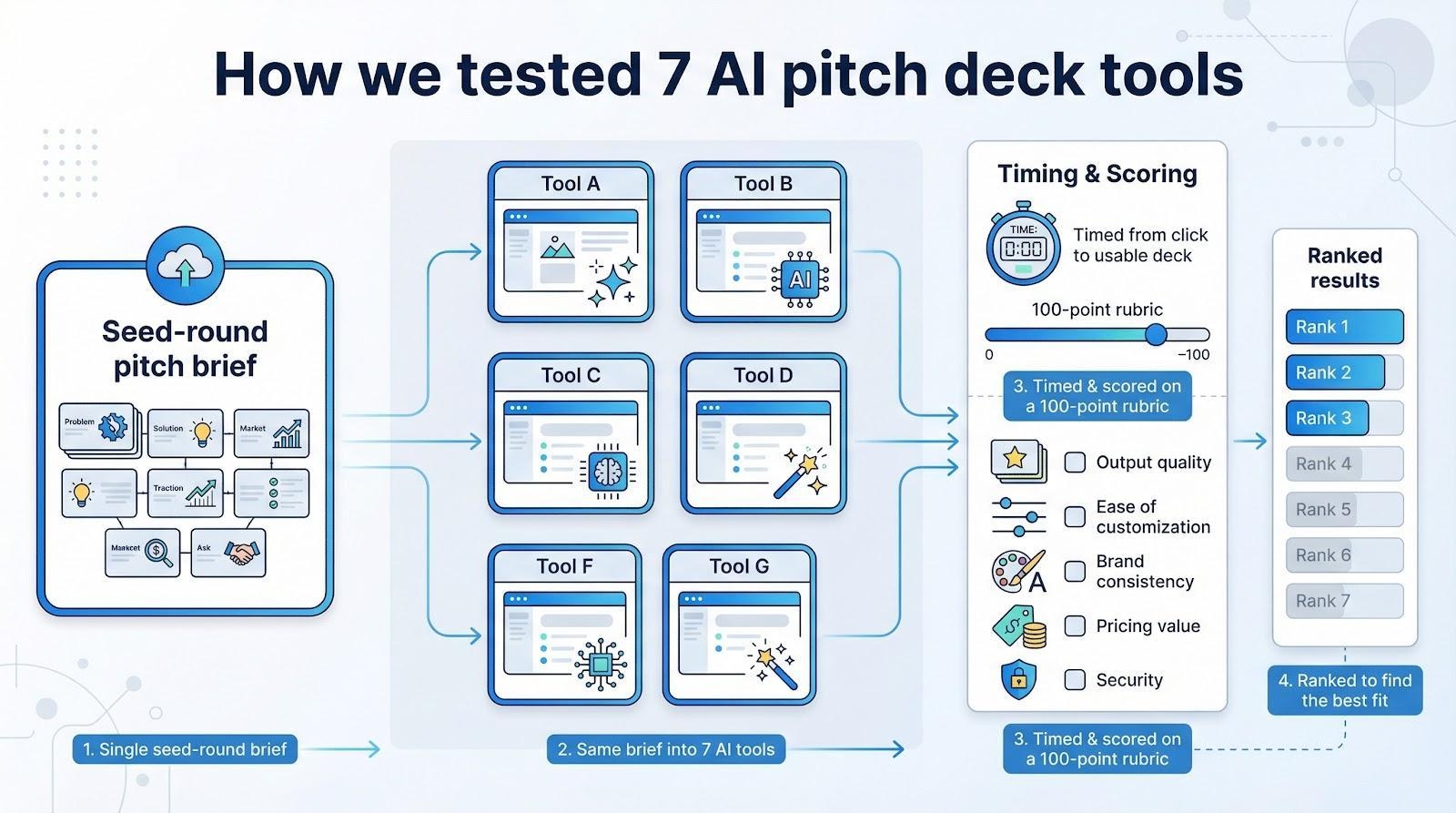
We timed every run from click to usable deck, then scored five factors on a 100-point rubric:
- Output quality weighed the most. Is it investor ready and are the graphics sharp?
- Ease of customization is the speed with which you can edit, copy, rearrange slides and change brand colors.
- Brand consistency ensures that the tool has the ability to stick to your fonts and palette to make every slide look like you, not a template.
With scores in place, ranking the seven contenders became simple math; the results speak for themselves.
At a glance: seven contenders, one quick scan
It is a good idea to have a single view of the field before examining each of the tools individually.
The table below summarizes all the measurements we made of quality, flexibility, branding support, price at start and data controls so you can identify the two or three sites that best meet your requirements.
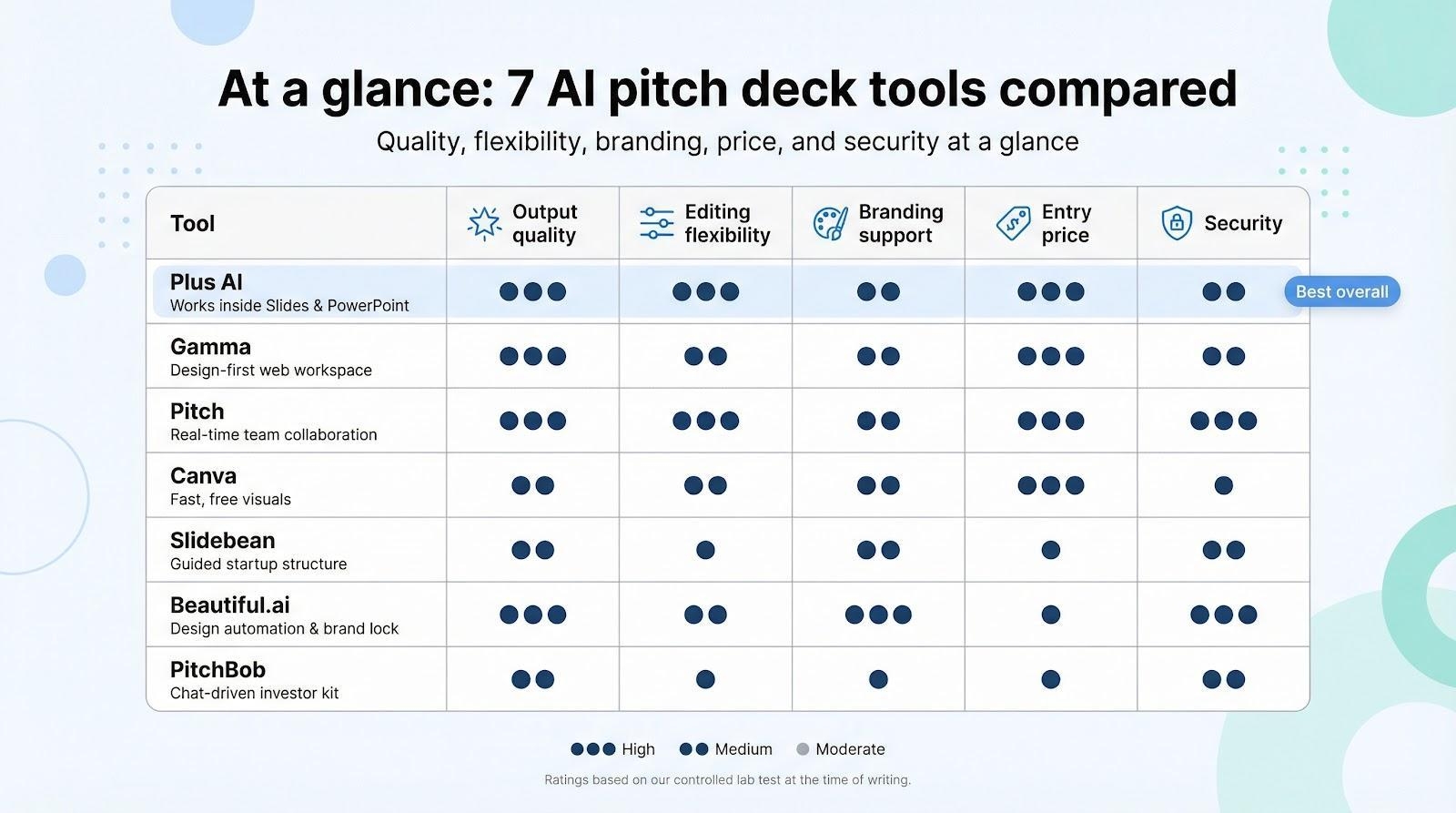
| Tool | Ideal use | Output quality | Editing flexibility | Branding support | Entry price* | Security notes |
| Plus AI | Best overall; works inside Slides and PowerPoint | High | Excellent | Moderate | Free / £8 mo | Generates inside your Google or Microsoft file |
| Gamma | Polished design with zero design skills | High | Good | Strong | Free / £15 mo | Cloud-hosted deck with optional password |
| Pitch | Real-time team collaboration | High | Excellent | Strong | Free / £19 mo | EU server option, granular permissions |
| Canva | Fast, free visuals | Medium | Good | Good | Free / $12.99 mo | Link sharing; no special compliance claims |
| Slidebean | Guided startup structure | Medium | Moderate | Moderate | Free trial / $15 mo | Exports keep data local |
| Beautiful.ai | Design automation and brand lock | High | Good | Excellent | Trial / $12 mo | Enterprise plan offers stricter controls |
| PitchBob | One-stop investor kit | Medium | Moderate | Weak | ~ $29 one-time | Generates in cloud, exports to PPTX |
*Prices reflect the lowest public plan at the time of testing, converted roughly to GBP or USD for clarity.
With the lay of the land clear, we’ll start with the top-ranked tool.
Plus AI: your slide deck co-pilot
Installed over a million times, backed by 900-plus user reviews, and holding a 4.6-star rating in the Google Workspace Marketplace, the Plus AI add-on available at plusai.com puts a sidebar inside PowerPoint or Google Slides; click it and watch a blank canvas arrange itself.
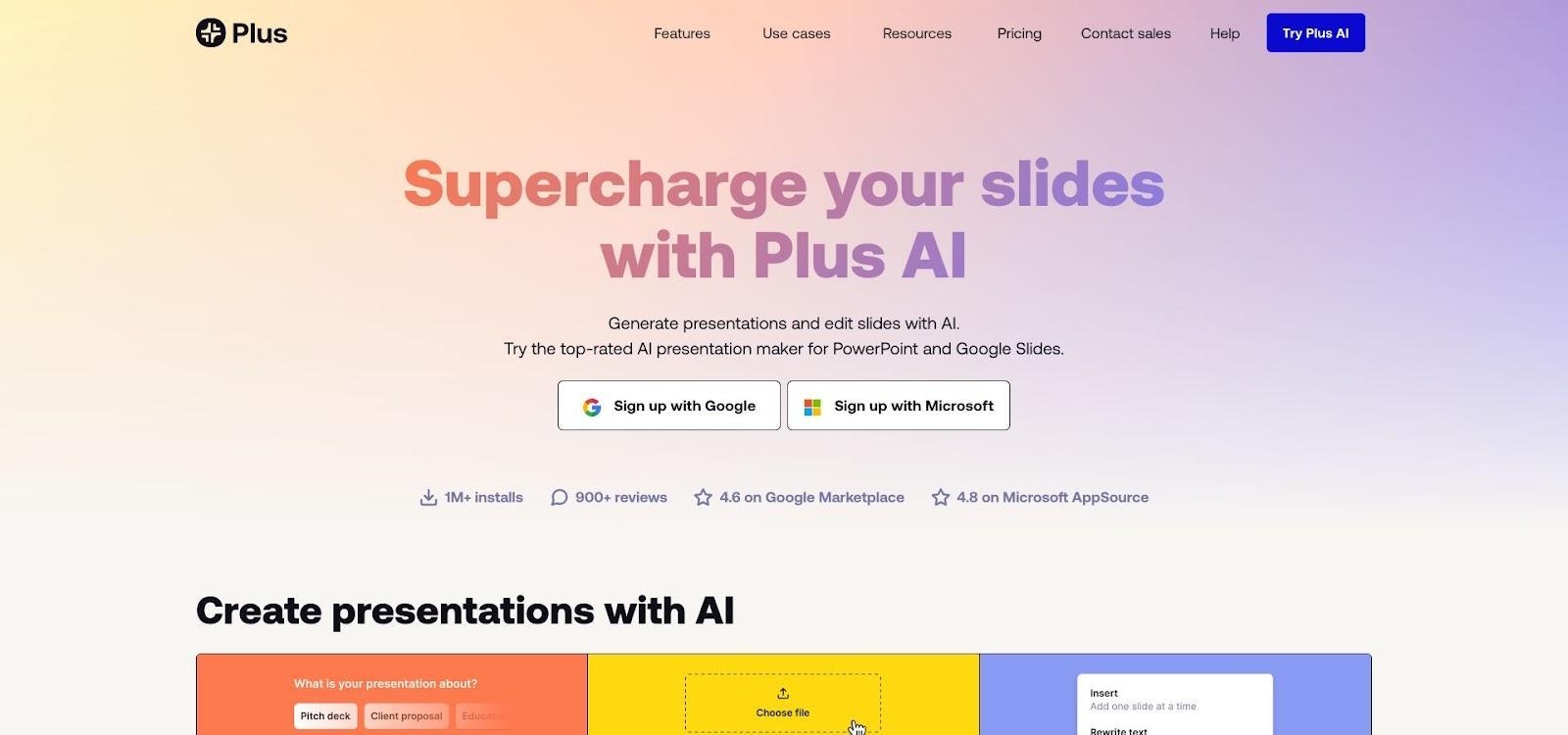
Plus AI pitch deck generator sidebar in Google Slides
In under a minute our ten-slide brief became a complete story: title, problem, solution, market, traction, ask. No exports and no extra interface; everything happens inside the apps you already use.
That native feel is Plus AI’s key strength. Because it inherits your template, every heading keeps the right font and each accent color follows your brand guide. Editing stays simple: move a bullet or swap an image and the slide remains tidy. You guide the layout, not the other way around.
Power users value the 100 000-character prompt limit. Paste an entire business plan and the tool still returns a concise deck, surfacing only what investors need. Speed counts too; our timer showed 45 seconds from prompt to draft.
Cost favors bootstrapped teams. The add-on installs free, the Basic plan costs about £8 per month, and the Pro tier provides higher generation limits.
If you spend most of your deck-building time in Slides or PowerPoint and want AI that feels like a teammate, Plus AI leads the pack.
Gamma: fast design flair
Picture a deck that looks ready for Dribbble before you adjust a single color. That is Gamma’s strength. Paste the same brief we used for Plus AI into its web app, and in about 30 seconds a polished dark-mode presentation appears, complete with icons, brand colors, and interactive elements that feel closer to a product demo than a slideshow.

Gamma AI presentation tool dark-mode deck interface
Theme agility stands out. One click shifts your entire deck from charcoal minimalism to pastel gradients without breaking alignment. Want to see which look resonates with investors? Cycle through options in seconds.
Editing feels natural. Tweak copy inline, drag slides to a new order, or ask the chat assistant to split a dense slide into two columns. Because the deck lives in the cloud, you can share a link and track viewer analytics, a quiet advantage when you need to see which slide an investor revisits.
Limitations matter. Exporting to PowerPoint flattens animations, and the autogenerated copy reads generic until you refine it. If visual polish is your top priority and you lack a designer, Gamma is worth a close look.
Pitch: team-first deck building
Picture Google Docs for slide decks. Pitch lets your whole team work in the same canvas, typing, commenting, and reordering slides together in real time. While many tools churn out solo drafts, Pitch turns deck creation into a live workshop.
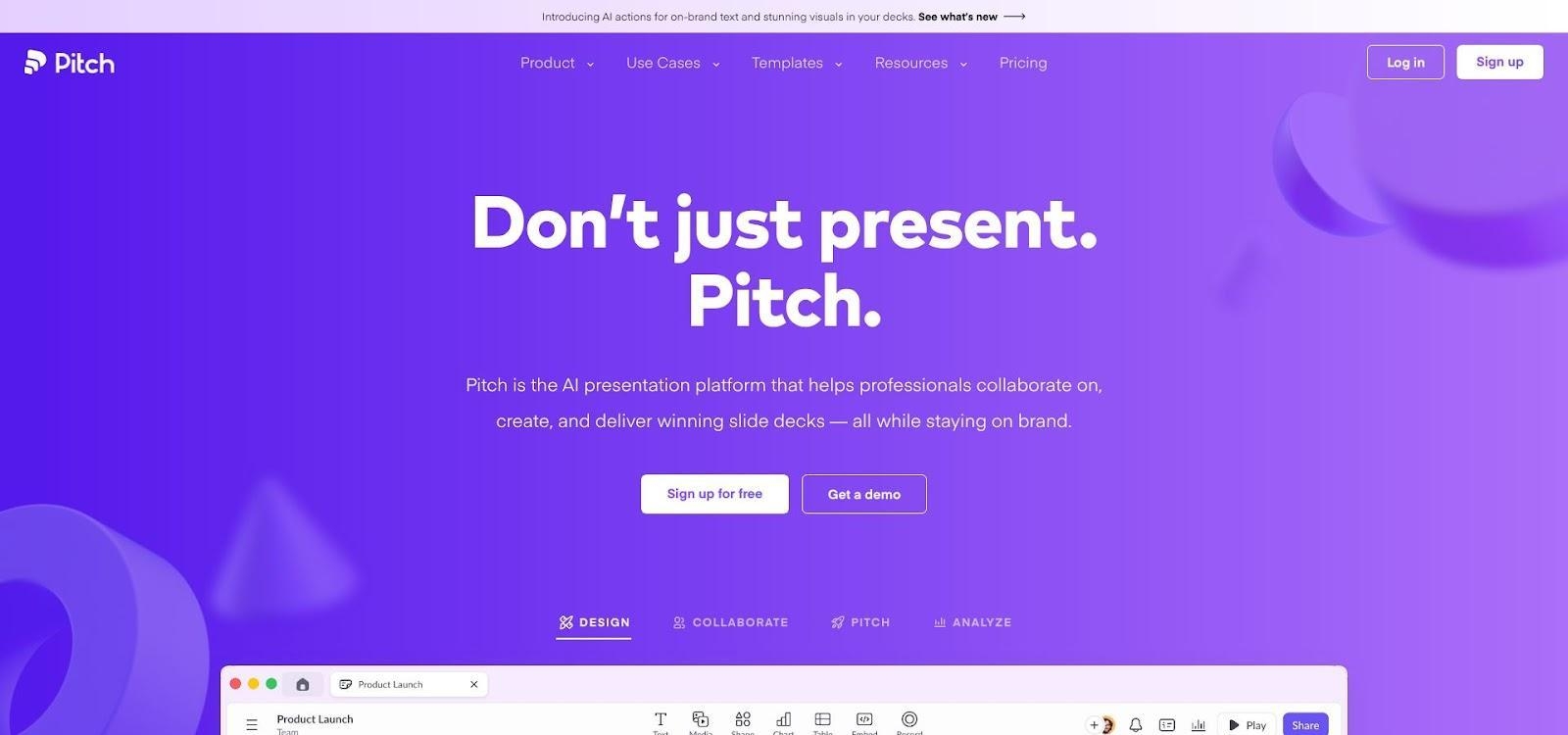
Pitch collaborative AI pitch deck editor screenshot
Open “Pitch AI” and type a brief, and a ten-slide outline comes out in a shorter period of time than it would have taken you to brew coffee. Headings, listings and a blank template fall in line with your information. You can leave the copy lean to add real traction numbers as opposed to erasing filler.
Design feels refined. Powerful typography, minimal animations and a collection of templates tested by VC makes you a few steps further. Brand kits prevent fonts and colors, meaning that all co-founders will look at the same palette and that no one will be able to slip up and use hot-pink text.
Collaboration is the real payoff. While you polish the market slide, your CFO can adjust financials on slide eight, and comments appear like chat bubbles. Version history protects against missteps, so one risky edit never wipes out yesterday’s progress.
Export to PDF or PowerPoint in seconds, which satisfies investors who prefer files over links. If you need shared editing and want AI to outline while humans refine, Pitch deserves a close look.
Canva: free, friendly, and surprisingly capable
Open Canva, type “fintech pitch deck,” and the platform serves polished templates like a dessert tray. Select “Magic Presentation,” paste a one-line prompt, and eight on-brand slides appear. Stock photos, icons, and background gradients are already in place, so your deck looks conference-ready with minimal effort.
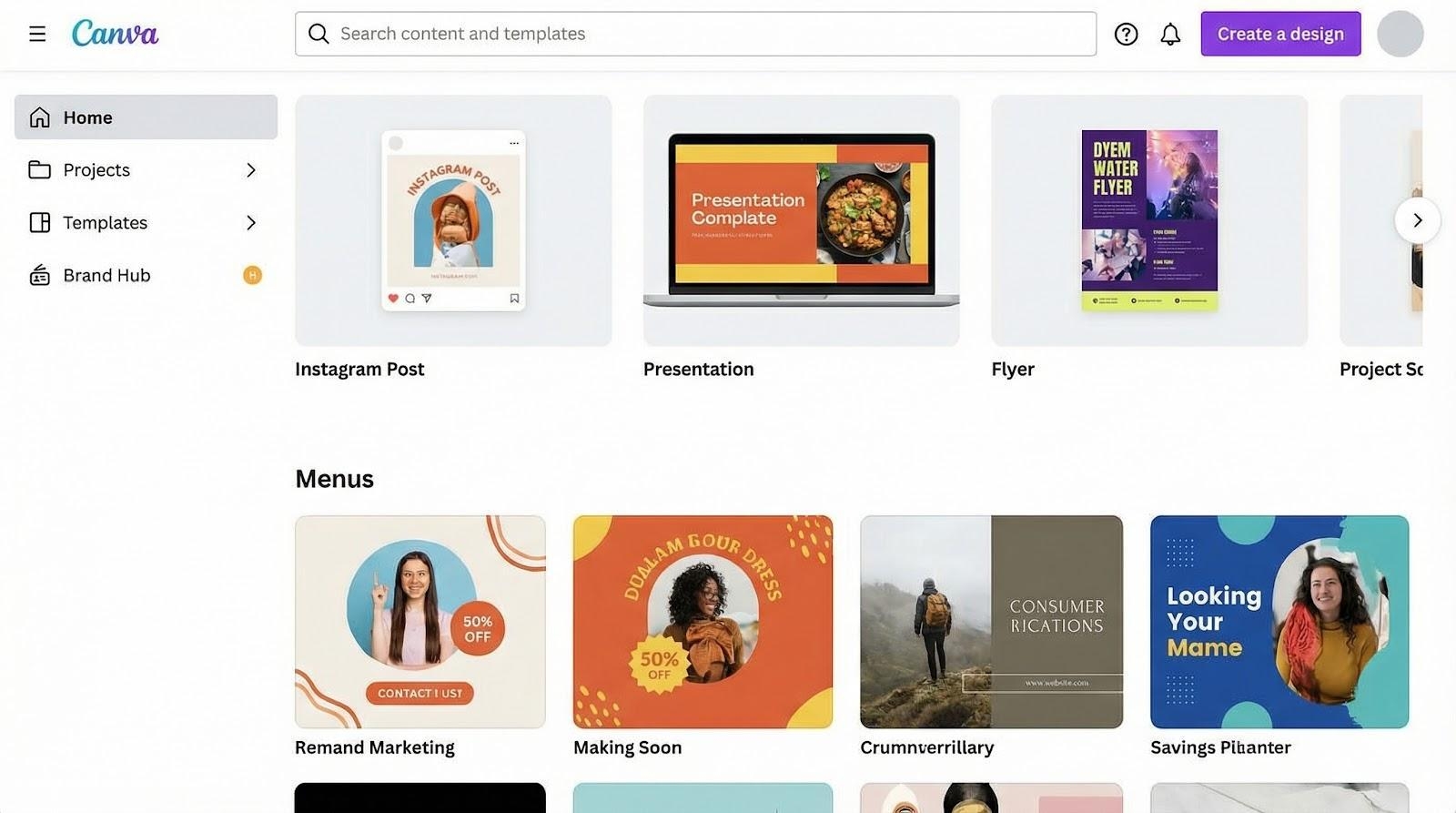
Canva Magic Presentation fintech pitch deck workspace
Editing feels like rearranging fridge magnets. Drag elements, drop your logo, or ask Magic Write to strengthen a bullet with a real statistic. Need a custom graphic? The built-in image generator creates visuals without leaving the canvas. In about twenty minutes our plain brief became a ten-slide story that felt custom.
Access is Canva’s biggest draw. The free tier covers most features, which helps cash-tight founders. The trade-off is depth: AI copy reads generically until you refine it, and the tool never reminds you to add a “Use of Funds” slide. Treat Canva as your design arm, not your pitch coach, and it delivers.
Slidebean: structure on autopilot
Staring at a blank slide can feel paralyzing. Slidebean removes that hurdle. Paste your homepage URL or a single-sentence summary, and the app returns a classic investor flow, problem, solution, market, traction, team, ask, already formatted and readable.
Slidebean favors guidance over flair. In our test, two minutes passed between paste and draft, slightly slower than rivals, but the result covered every essential slide. Placeholder prompts for market size and unit economics mean you will not forget the hard numbers.
Design stays clean but conservative. You can swap colors and icons, yet the guardrails prevent awkward layouts. When you need a custom infographic, exporting to PowerPoint is the escape route.
Pricing is in the mid pack: the price is free trial followed by approximately 15 dollars a month as watermark-free exports. Slidebean is a clean starting line to founders that desire a structural coach over a design playground.
Beautiful.ai: design that builds itself
If nudging text boxes feels like busywork, Beautiful.ai offers relief. Choose a smart template, paste your copy, and each element snaps into neat alignment. Adding a data point reshapes the slide automatically, so spacing stays clean.
Brand control shines. Load your palette and typefaces once, and the AI applies them across charts, timelines, and image masks. Our test deck, twelve slides, rendered in about one minute, each slide polished without manual tweaks.
Content support runs shallow. DesignerBot drops placeholders such as “$XXB market,” waiting for real numbers. In case you require storytelling assistance, write first, and come back to finish images. Guardrails retain regular layouts, but hamper custom illustrations; PowerPoint solves the issue.
Pricing begins at around 12 dollars a month following a trial subject to credit card. Expensive per deck, but reasonable when you act as a presenter on a weekly basis. For founders with a clear story who want investor-ready visuals fast, Beautiful.ai is a strong value.
PitchBob: chat-driven investor kit
PitchBob replaces menu clicks with a brief conversation. Solution, fundraising goal, problem, and traction are answer prompts and answer 12 slide deck, one-page summary and cold-outreach email generation are, within 1 run. It should take approximately 15 minutes of typing and approximately 30 seconds of generation before you have a complete fundraising bundle.
Completeness is the advantage. Because the Q & A captures your own language, the slides sound like you, not boilerplate. The matching executive summary saves time on follow-up documents.
The visual style is modest. White backgrounds, blue accents, and stock icons keep the layout tidy but forgettable. Many founders export to PowerPoint, then apply a Canva or Beautiful.ai refresh for extra polish.
Cost favors early-stage teams. A single payment of about $29, with no subscription, makes PitchBob an easy first step for a credible draft before demo day. Plan a second pass for design upgrades and a quick fact-check.
How to choose the right tool for you
Every startup faces different hurdles. Yours might be time, design skill, budget, or all three. Match the tool to the gap and you reclaim hours.
Ask yourself six quick questions:
- What is my top priority, visual polish, tight structure, or speed?
- Will I edit solo or work live with co-founders and advisors?
- Will investors have a PowerPoint file, a PDF or a share link with analytics?
- How many packages will I make this year and at what will be the subscription during this period?
- Would I be at ease with storing sensitive metrics on the cloud of a vendor or do I require local control?
- What apps do I already have as part of my work software arsenal, and is this tool able to extract data off of them?
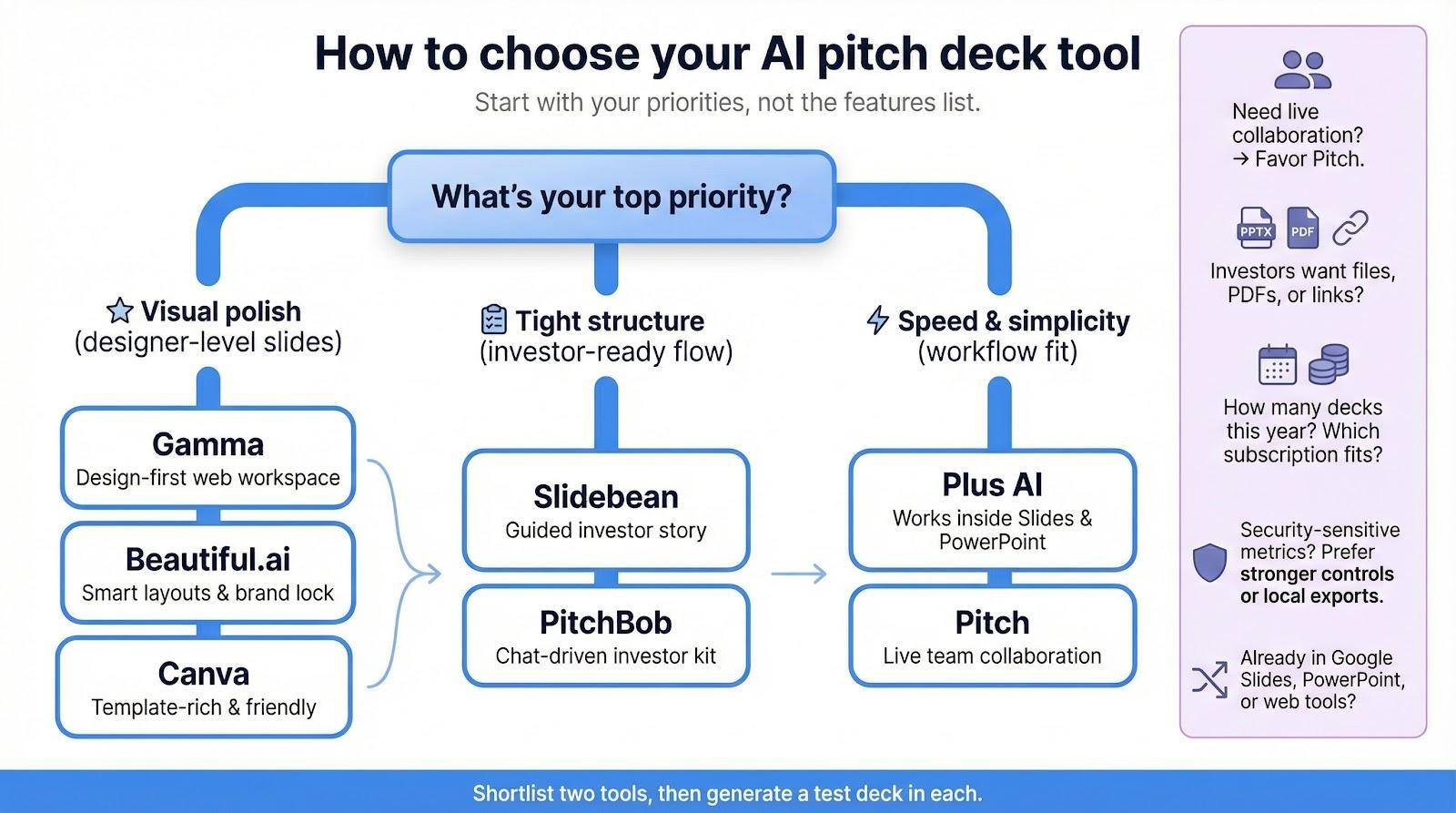
Run that checklist, shortlist two platforms, and generate a test deck in each. Within twenty minutes you’ll know which interface feels natural and which output needs less cleanup.
Five blind spots most “best AI deck tools” posts ignore
Scroll a typical roundup and you’ll see glossy screenshots, yet five key questions stay unanswered.
Security leads the list. Few writers ask where your draft sits after it leaves your laptop, a gap that this market analysis of six AI pitch-deck makers confronts head-on. If your deck holds revenue run rate or clinical data, you need to know whether it lives on an EU server you can wipe or in a vendor’s demo bucket forever.
Second is investor-ready structure. Pretty slides mean little if the deck skips use of funds or traction. Tools like Slidebean include those slides; many rivals stay silent.
Third comes workflow fit. Does the platform pull data from Docs or Notion? If not, you’ll copy-paste KPIs until midnight.
Fourth, multilingual support. Global founders often need Spanish, French, and English decks in parallel. Only a few tools handle that smoothly.
Finally, speed metrics. We timed every generation so you know which service finishes before your espresso cools.
Conclusion
AI pitch deck creators have moved from experimental tools to practical fundraising assets. In our hands-on test, every platform significantly reduced drafting time, but each one solves a different problem. Others are more concerned with the smoothness as it has to be integrated with the tools you are already familiar with, some are more concerned with aesthetic, teamwork, organization, or packaged investor content. The main implication here is not that a specific tool fits all, but that the appropriate tool will eliminate your biggest bottleneck.An integrated AI assistant will be comfortable and useful to you in case you already work within Google Slides or Powerpoint. In case your design confidence is your area of weakness, platforms that have great automation and theme control will immediately take your images to the next level. Models that involve building decks together should be biased towards tools that are programmed to handle real-time editing and versions. And, finally, conversational generators can also offer a structured starting point in minutes, which is more than sufficient to give your first draft its final polish before the demo day. A draft generated is not the end. Investors are also still concerned with clarity of thought, defensible metrics and a convincing story. Select the platform that will result in less work to clean up, empower your workflow, and allow you to spend more time on the business.
Frequently Asked Questions
Are AI pitch deck makers AI worthy enough of actual investors?
Yes, for first drafts. The current AI solutions are able to produce a sound investor-ready framework within less than one minute. Although, metrics, refinement of strategy, and messaging always need to be perfected by founders before a deck is sent to investors.
Is it possible to make a full deck with a free plan?
In many cases, yes. The offerings of such tools as Canva, Gamma, Pitch, and Plus AI provide free options allowing one to create a basic deck. Others might have a watermark or a certain limit on exports so you might have to read the small print before you make up your deck.
What tool is most appropriate with Google Slides or PowerPoint users?
Plus AI also is installed on Google Slides and PowerPoint, which is perfect when you do not want to change the workplace.
What about data security?
Security varies by platform. The ones that create decks right inside your own Google or Microsoft file and the ones that create drafts in the cloud. In case your deck has sensitive financial or clinical data, make sure that you read the vendor’s data policies training before uploading.
Are these tools substitutes to designers?
Not entirely. AI tools are very effective in terms of structure, layout and first-pass appearance. In large stakes fundraising rounds, most founders continue to get a designer to do the final polish.