Content marketing used to be “a writer + a doc + a publishing tool.” Today, it’s an assembly line. A single article can touch SEO research, interviews, expert review, brand or legal approvals, multi-channel repurposing, and performance reporting. This means that an article often comes across multiple teams.
So here’s the key question: If your content workflow is end-to-end, why don’t you make your toolset like that, too?
In this guide, we’ll explore why teams are moving from a “best-of-breed stack” to a content operations workbench, and introduce 10 PM tools that content marketing teams can choose to accelerate their content production.
What content operations really look like
Most teams don’t struggle because they “lack ideas.” They struggle because their workflow has too many handoffs.
A typical modern content pipeline looks like this:
- Topic discovery and prioritization
- Keyword research and search intent mapping
- Content brief, including audience, angle, CTA, sources, and so on
- Interviews / SME alignment
- Drafting and editing
- Brand + legal + product review
- Publishing and distribution
- Repurposing (social, email, sales enablement)
- Reporting and iteration
If you’re nodding along, ask yourself:
- Where do decisions live? In chat threads? In meeting notes? In someone’s memory?
- How many versions of the draft exist right now?
- Can a new teammate find the latest brief, transcript, and status in under 60 seconds?
When the answer is “not really,” the workflow tends to break in the same predictable places.
The six most common content workflow “fractures.”
- Context loss: key decisions happen in chat or calls and never make it back into the brief.
- Version chaos: multiple docs, mixed commenting systems, repeated copy/paste.
- Invisible progress: when information is decentralized, the team can’t see what’s blocked and how everything is going.
- Asset sprawl: templates, brand guidelines, and past documents are scattered.
- Approval bottlenecks: reviews are slow and hard to carry out.
- Disconnected reporting: performance data never loops back into how content is planned.
None of those are “writing problems.” They’re system problems.
Why “best tools” don’t always create the best system
It’s tempting to assemble a stack: Slack + Google Docs + Zoom + Trello + Airtable + a scheduler + an AI writer + analytics dashboards.
Each tool might be great. But together, they can create a hidden tax: constant context switching.
According to an interview with Gloria Mark (UC Irvine) published by Gallup (source: Gallup, Too Many Interruptions at Work? June 8, 2006), interrupted work was resumed on average in 23 minutes and 15 seconds, and people often do intervening tasks before returning, adding cognitive cost to every switch.
So the real issue isn’t just “too many notifications.” It’s that fragmentation forces people to repeatedly rebuild context:
- Where is the latest brief?
- Which doc has the approved headline?
- Did legal sign off?
- What did the SME say in the call?
That’s why many mature content teams are upgrading their operating model.
From a tool stack to a workbench
A content operations workbench is not “one tool that does everything.”
It’s a workflow-first environment that helps you:
- Keep discussion, documents, meetings, and task status connected
- Make work traceable (who decided what, when)
- Standardize production using ready-to-use templates and governance
- Connect “production data” (cycle time, revisions) with “performance data” (traffic, conversions)
Top 10 PM tools that reduce workflow fractures
1. Lark
Lark is an all-in-one collaboration platform designed to connect the core work tools teams use every day—messaging, video meetings, calendar, collaborative documents, and workflow apps—in one project management tool.
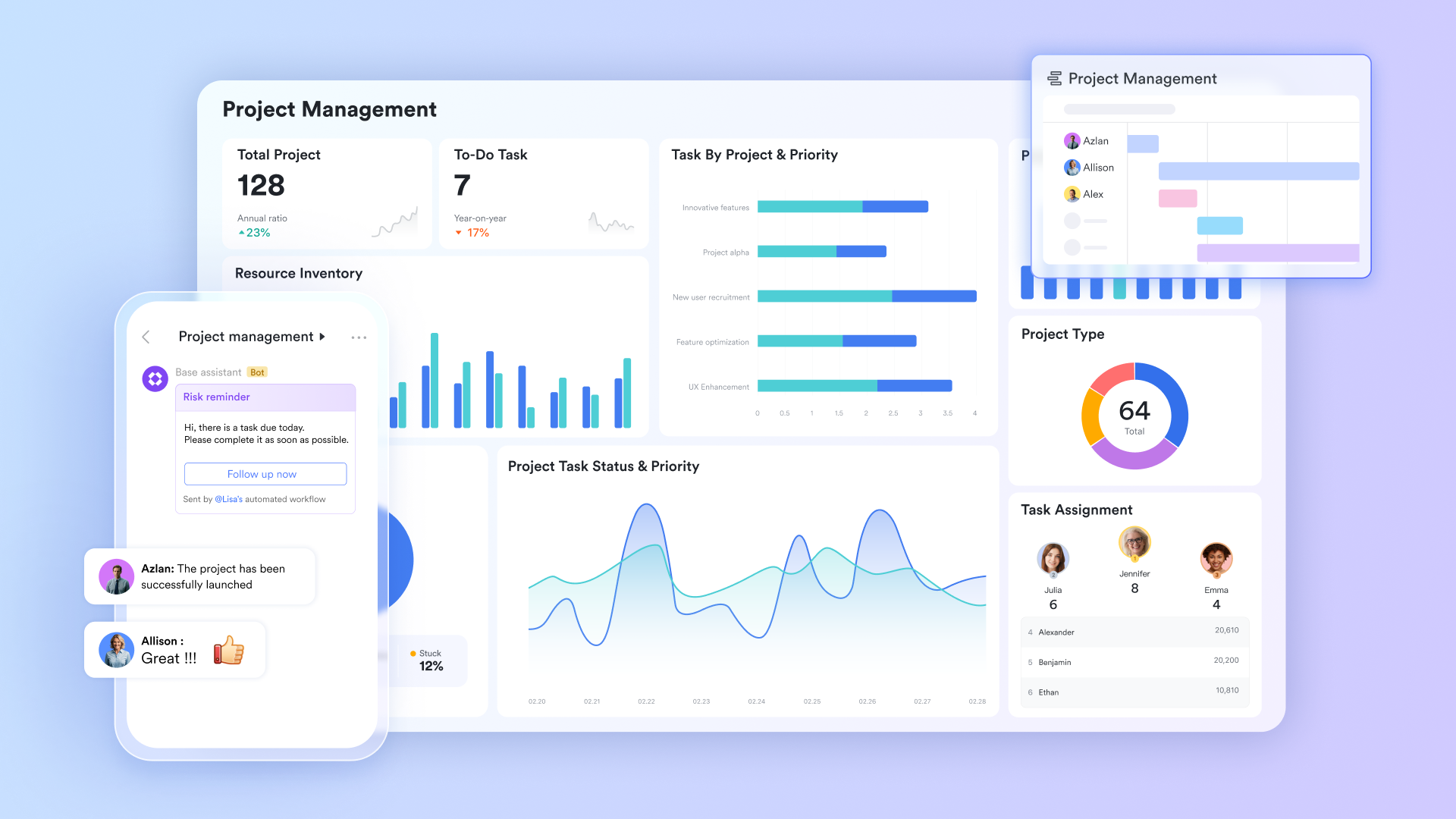
Image source: larksuite.com
On Lark’s product overview page, the company explicitly positions the suite as a unified workplace for messaging, video conferencing, schedule management, collaborative documents, cloud storage, email, and workflow applications.
For content marketing teams, the most relevant components typically include:
- Messenger (communication with context)
- Docs and Wiki (collaborative writing + a knowledge base)
- Meetings (calls that connect to content and schedules)
- Minutes (AI-assisted meeting transcripts you can search and collaborate on)
- Calendar (editorial cadence and review schedules)
- Base (a flexible database for planning, tracking, and dashboards)
If you’re thinking, “That sounds like a lot,” you’re right—unless those parts are connected by default. That’s the real test.
2. Monday work management (monday.com)
Monday Work Management is a work management platform built to help teams plan, track, and execute projects and processes with flexible boards, dashboards, automation, and multiple views.
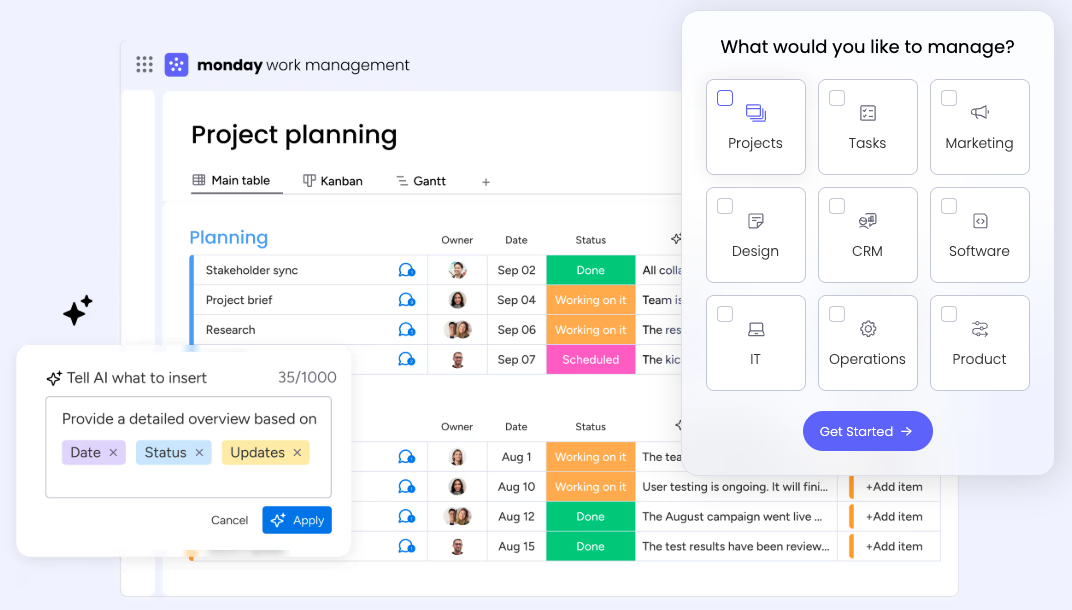
Image source: monday.com
On Monday’s work management product page, the company positions the product as a way to “Bring your strategy to life” and “gain the clarity and control you need to connect your everyday work to business goals across projects and processes.”
For content marketing teams, the most relevant components typically include:
- Boards (campaign plans, editorial pipelines, production checklists)
- Multiple views (Timeline/Gantt, Kanban, Calendar) for cross-functional visibility
- Automations (status changes, reminders, handoffs)
- Dashboards (campaign health, workload, SLA, throughput)
- Forms/intake (creative requests, content briefs, stakeholder requests)
Monday can feel “all-in-one” at the work layer (tasks, views, automation, reporting). The fracture test is still integration reality: if your docs, feedback, approvals, and assets live elsewhere, you’ll need strong linking conventions and automation—otherwise your “source of truth” drifts.
3. ClickUp
ClickUp is a productivity and project management platform that aims to replace multiple tools by combining tasks, docs, chat, dashboards, automation, and AI into one workspace.
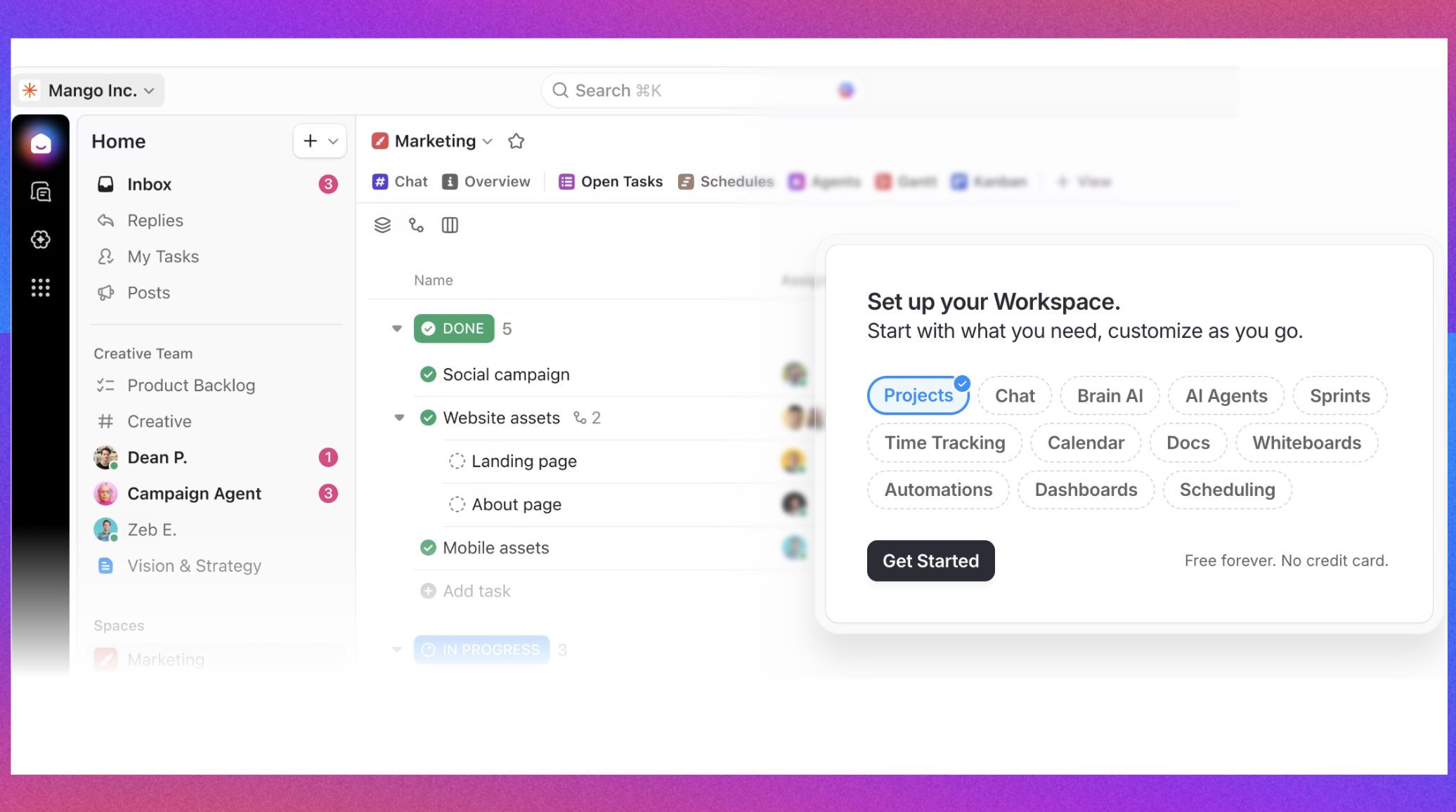
Image source: clickup.com
On ClickUp’s homepage, the company explicitly frames the product as “Software to replace all software,” emphasizing “Replace all your software” and “Centralize all your context.”
For content marketing teams, the most relevant components typically include:
- Tasks + custom fields (campaign metadata, funnel stage, owner, due dates)
- Docs & wikis (briefs, messaging, positioning, playbooks)
- Chat (team coordination tied to work items)
- Dashboards (editorial velocity, cycle time, workload)
- Automations (handoffs, reminders, status workflows)
- Calendar/scheduling (launches, reviews, publishing cadence)
ClickUp’s promise is consolidation: tasks + docs + chat in one place. The fracture test is governance: unless templates, statuses, and naming rules are standardized, teams can accidentally create many workspaces and “almost-the-same” workflows—fragmentation, but inside one tool.
4. Jira
Jira is a work management tool from Atlassian commonly used for tracking projects and tasks, especially in environments that need structured workflows, strong visibility, and integration across an ecosystem.
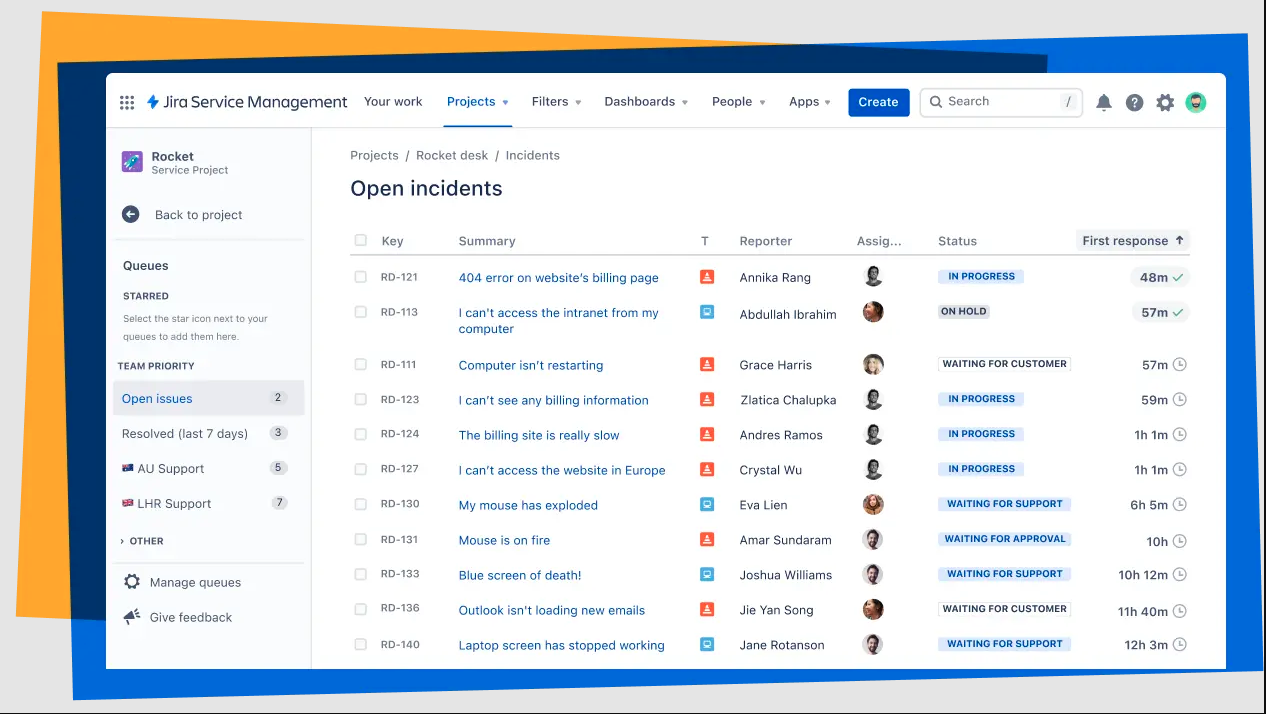
Image source: atlassian.com
On Atlassian’s Jira page, Jira is positioned as a place “Where your team and AI come together,” and Atlassian highlights “Project and task tracking” and “Turn ideas into delivery.”
For content marketing teams, the most relevant components typically include:
- Work items (tasks, subtasks, workflow states) for production pipelines
- Boards (Kanban) for flow-based execution
- Forms/intake (requests routed into queues)
- Automation rules (routing, notifications, SLA-like workflows)
- Reporting (cycle time, throughput, work-in-progress)
- Ecosystem tie-ins (e.g., Confluence for knowledge, Loom for async updates)
Jira reduces fractures when your organization already lives in the Atlassian ecosystem and you can keep “work” + “knowledge” + “updates” connected. The fracture test is audience fit: if your team wants lightweight creative workflows, Jira can push people back into side docs and side chats—fragmentation returns.
5. Miro
Miro is a collaborative visual workspace designed for brainstorming, mapping workflows, and aligning teams through shared canvases and structured formats (docs, tables, diagrams, etc.).
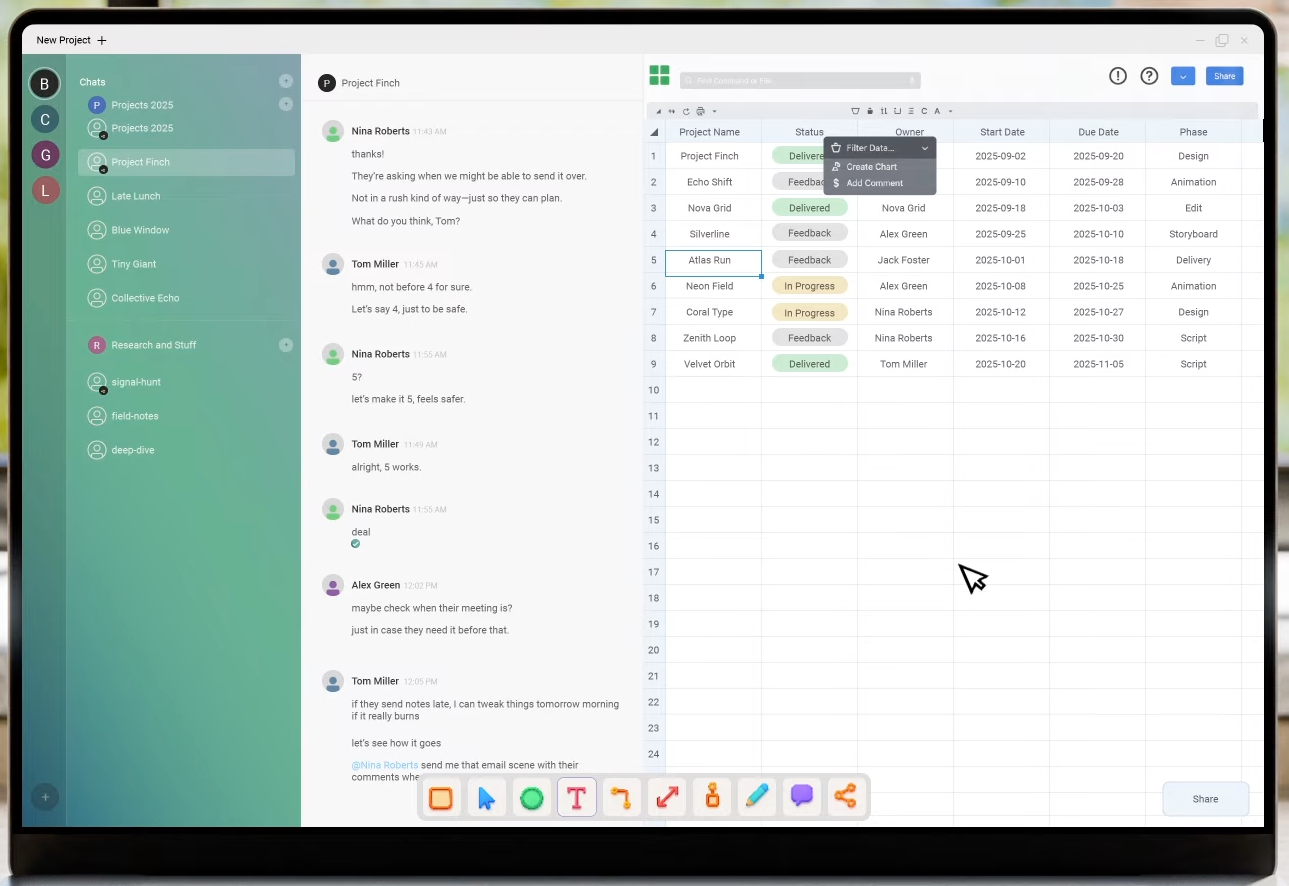
Image source: miro.com
On Miro’s homepage, the company positions Miro as an “AI Innovation Workspace” to help teams “Get from brainstorm to breakthrough,” emphasizing collaborative workflows that move from ideation to outcomes.
For content marketing teams, the most relevant components typically include:
- Workshop boards (campaign ideation, content angles, messaging alignment)
- Templates (briefs, funnels, customer journeys, positioning)
- Roadmaps/planning canvases (initiative planning, launch alignment)
- Async walkthroughs (when paired with recording features like TalkTrack)
- Integration handoffs (turning brainstorm outputs into tasks in a PM system)
Miro is excellent at reducing early-stage fractures (alignment, ideation, planning). The fracture test is executed: unless you convert outcomes into a system of record (tasks, owners, due dates), the canvas becomes a “great workshop artifact” that doesn’t reliably run production.
6. Smartsheet
Smartsheet is a work management platform built around sheets, automation, and dashboards—often used for portfolio visibility, reporting, and operational execution.
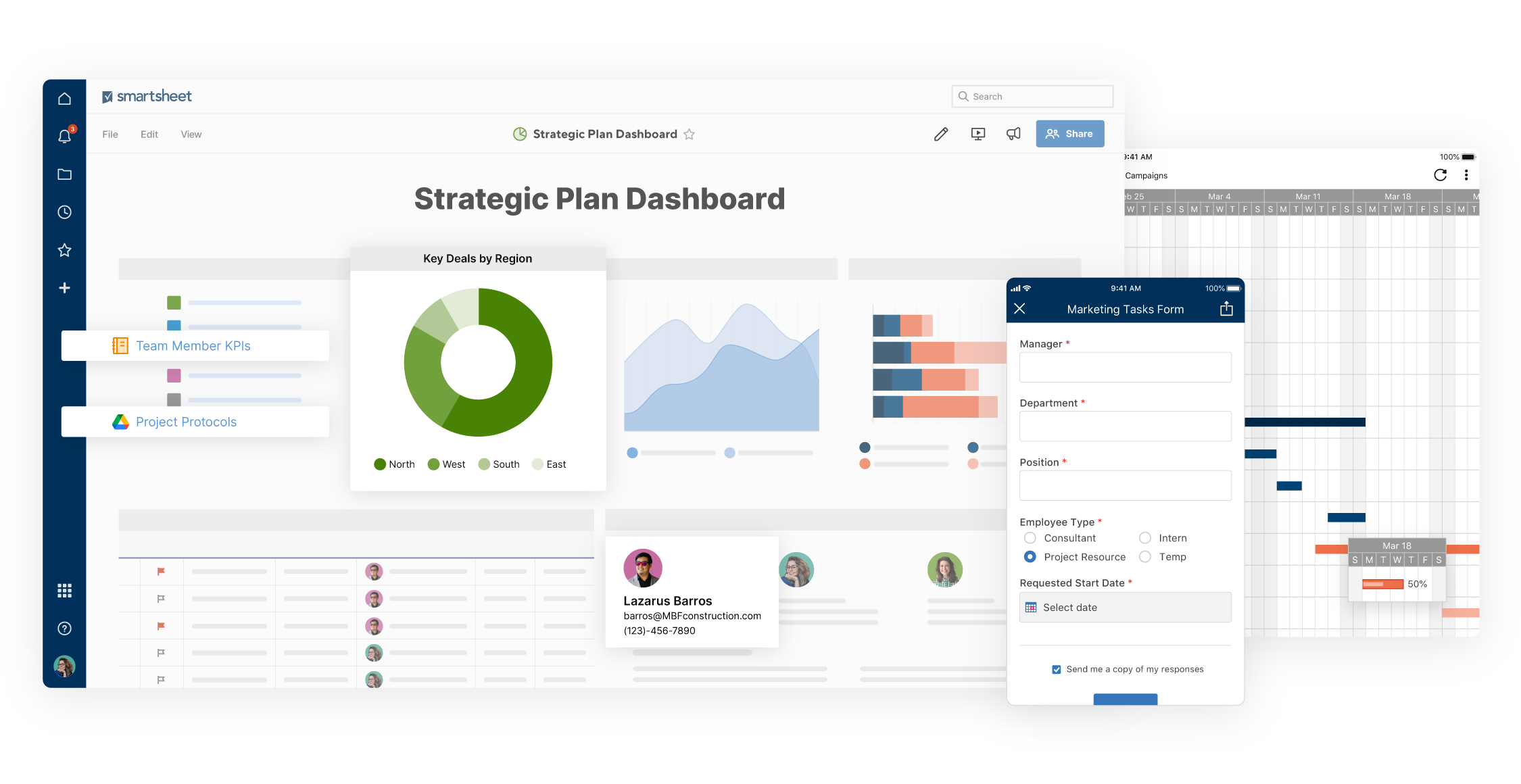
Image source: smartsheet.com
On Smartsheet’s homepage, the company describes itself as “a smarter way for your entire organization to work” and highlights “Project and portfolio management” with “real-time… visibility” and “connected workflows.”
For content marketing teams, the most relevant components typically include:
- Sheet-based plans (editorial calendars, production trackers, launch checklists)
- Automated workflows (alerts, approvals, assignment routing)
- Dashboards (stakeholder reporting, portfolio rollups)
- Intake + approvals (especially for high-volume request flows)
- Integrations (keeping data synced across tools)
Smartsheet reduces fractures when your biggest pain is visibility—leaders need portfolio reporting and operational dashboards. The fracture test is collaboration: if drafting, feedback, and decisions still happen in email/docs/chat outside Smartsheet, you must enforce linking and traceability, or the “sheet truth” falls behind reality.
7. Wrike
Wrike is an enterprise work management platform designed to help teams build, connect, automate, and scale workflows across planning, execution, and reporting.
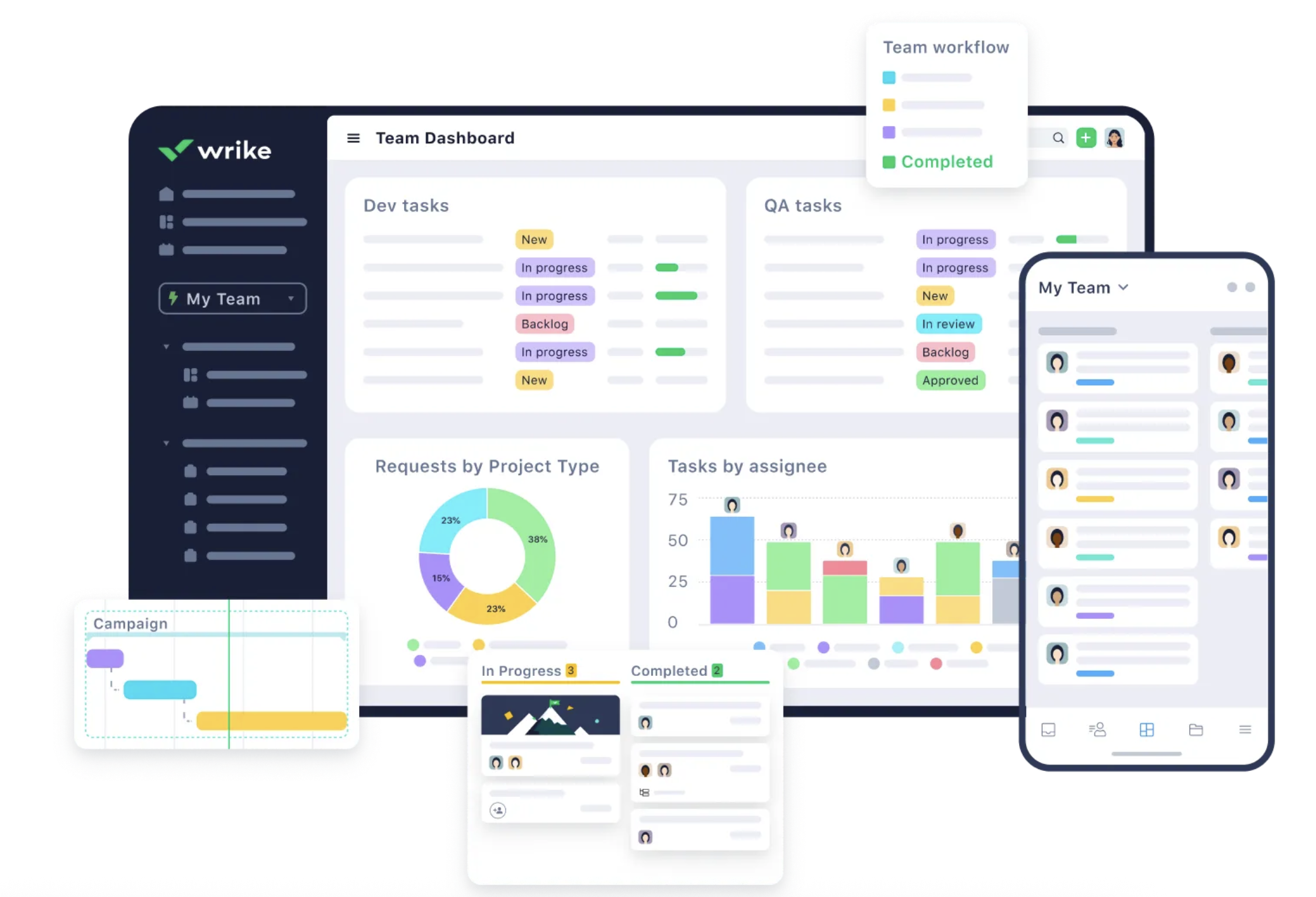
Image source: wrike.com
On Wrike’s homepage, the company positions the platform as “One platform to streamline all workflows” and describes Wrike as “where work flows,” emphasizing building, connecting, and automating workflows.
For content marketing teams, the most relevant components typically include:
- Request forms (campaign intake, creative requests, content ops tickets)
- Task management + custom workflows (pipeline stages, dependencies)
- Proofing & approvals (review cycles on creative assets)
- Dashboards + analytics (delivery risk, workload, timeline health)
- Time tracking (useful for agencies or internal chargeback)
Wrike can reduce fractures in complex, cross-team environments where requests, approvals, and reporting must be auditable. The fracture test is tool overlap: if your org already has separate systems for docs/knowledge/meetings, Wrike needs clear “system boundaries” to prevent duplicated sources of truth.
8. Asana
Asana is a work management platform designed to help teams coordinate projects, standardize workflows, and connect execution to goals with reporting and automation.
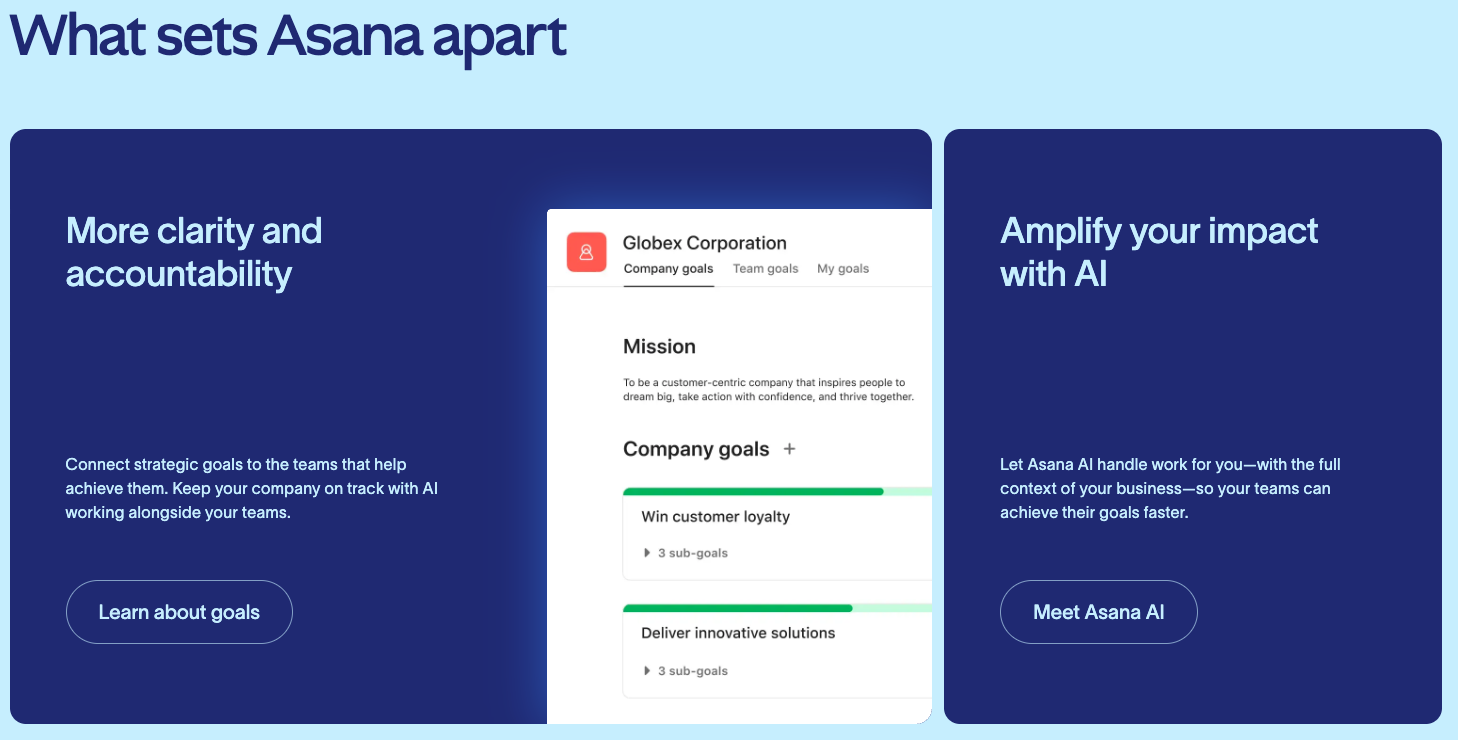
Image source: asana.com
On Asana’s homepage, the company positions itself as “The platform for human + AI collaboration,” aiming to keep work moving across use cases like campaign management, intake, launches, and goal management.
For content marketing teams, the most relevant components typically include:
- Projects + tasks (campaign plans, editorial workflows, launch checklists)
- Templates (repeatable workflows for briefs, reviews, publishing)
- Automation (routing, reminders, status changes)
- Goals + reporting (tie content work to outcomes)
- Integrations (connect docs, storage, comms tools)
Asana reduces fractures when your team wants a clear, opinionated system for execution and accountability. The fracture test is “context gravity”: if the real decisions live in chat threads and the real drafts live elsewhere, Asana becomes a tracker rather than the workbench.
9. Trello
Trello is a visual work management tool centered on boards and cards, designed to keep projects organized with lightweight workflows, automation, and integrations.
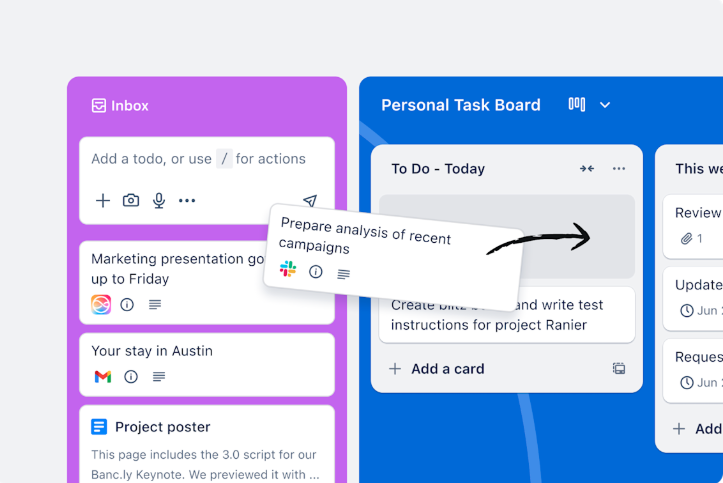
Image source: trello.com
On Trello’s site, Trello is described as a way to help teams “get work done” and “keep things organized,” emphasizing a simple setup: create a board and start.
For content marketing teams, the most relevant components typically include:
- Boards (idea backlog → writing → review → scheduled → published)
- Inbox capture (turn messages/emails into actionable cards)
- Automation (Butler rules for handoffs and reminders)
- Planner/calendar sync (time-blocking and publishing cadence)
- Power-Ups (integrations and added capabilities)
Trello reduces fractures when your workflow is lightweight and highly visual. The fracture test is scale: as assets, approvals, and cross-functional dependencies grow, teams often bolt on more tools—and Trello becomes one more surface rather than the operating system.
10. Basecamp
Basecamp is a project management tool designed to keep project communication, tasks, files, and decisions in one predictable place, with an emphasis on simplicity.
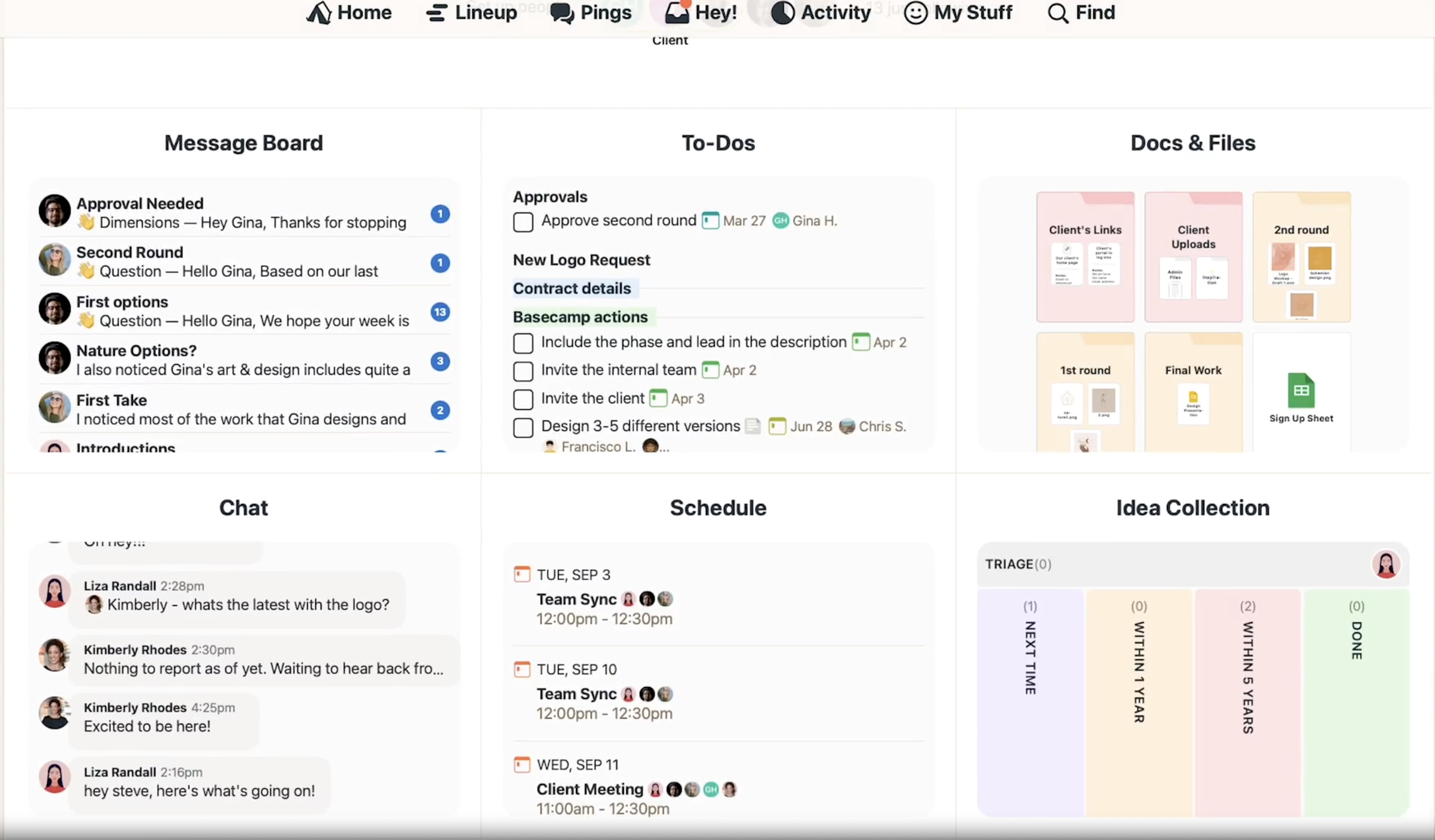
Image source: basecamp.com
On Basecamp’s homepage, the company positions Basecamp as “refreshingly straightforward” and “famously no-nonsense, effective, and reliable,” explicitly contrasting it with tools that feel overwhelming or chaotic.
For content marketing teams, the most relevant components typically include:
- Projects as containers (keep all deliverables + decisions together)
- To-dos + simple task tracking
- Message boards/discussions (announcements, decisions, threads)
- Direct messages (“Pings”) for ad hoc coordination
- Centralized files (assets, references, final deliverables)
Basecamp reduces fractures by pulling communication and task execution into a single, calmer structure—especially for small teams. The fracture test is advanced ops: if you need granular workflows, complex reporting, and database-like planning, teams often reintroduce spreadsheets/PM tools alongside Basecamp.
Five reasons an all-in-one workbench outshines a patchwork stack
Below are five practical evaluation criteria you can use when comparing any unified workbench against a tool-by-tool stack.
1) Context completeness: Can the work link together naturally?
In a patchwork stack, your workflow becomes a relay race:
- Decisions in chat
- Draft in a file
- Tasks on a board
- Approvals in email
- Meeting notes in a separate tool
The result is predictable: people lose the thread.
In an all-in-one workbench, the goal is simpler:
- Keep the conversation attached to the artifact (the brief, the draft, the task)
- Reduce “search-and-verify” time
Ask yourself: Can someone jump from a content calendar item to the brief, then to the draft, then to the meeting transcript—without hunting?
2) Fewer switches, fewer duplicates
A lot of “work about work” is duplication:
- Rewriting the same update across tools
- Translating a meeting into notes manually
- Creating parallel trackers for different stakeholders
Research on modern collaboration has revealed that, when work is connected and visible, teams spend less time bridging the info gap and get more time producing.
3) Governance and permissions that scale
Content ops gets complicated when you add:
- External writers
- Agencies
- Regional marketing
- Product, legal, and brand reviewers
Suddenly, “Just share the doc link” becomes risky.
A workbench approach makes it easier to define:
- Who can view vs. comment vs. edit
- What gets archived in a knowledge base
- What’s considered the single source of truth
4) Workflows and automation that support the pipeline
A content workflow is basically a state machine:
- Idea → brief → drafting → review → approved → scheduled → published → repurposed → measured
When the workflow is explicit, you can automate small but valuable actions:
- Reminders when a piece is stuck
- Alerts when a due date is approaching
- Checklists for SEO and compliance
Again, the point isn’t “buy Base.” It’s: a real workbench gives you workflow primitives.
5) Better post-mortems: connect performance back to production
Most content teams track results (traffic, CTR, conversions). Fewer teams track production (cycle time, number of revisions, time-to-approval).
But here’s the question that makes content ops improve fast:
Which part of our pipeline is slowing down output quality—and can we prove it?
A workbench makes this easier because production signals and artifacts are already connected.
How to build a content operations workbench in an all-in-one collaboration platform (7 workflows)
There are many ways to implement an all-in-one platform. The most sustainable approach is to start small: build a minimum viable system that covers planning, drafting, review, and publishing.
Below are seven workflows that content teams can build and try.
- Topic pipeline and prioritization
Goal: keep ideas visible and rankable.
How it can look in an all-in-one platform:
- Use a database/table as a single source of truth for your topic pipeline (common fields: audience, funnel stage, priority, keyword, format, owner, due date).
- Use docs/pages for your quarterly content strategy and recurring themes.
- Use chat threads/comments to capture decisions with the relevant context linked.
Question to ask your team: Do we have one list of ideas, or five?
- SEO planning (intent → cluster → internal links)
Goal: write what people actually search for.
Practical elements to standardize:
- primary keyword
- search intent (“how-to,” “comparison,” “best,” “definition,” etc.)
- supporting subtopics (cluster)
- internal links to include
How it can look in an all-in-one platform:
- Store keyword research and cluster mapping in a shared database/table.
- Use a reusable doc template for SEO checks (title, H2 structure, FAQs, examples, claims).
- Brief creation and request intake
Goal: reduce rework by aligning early.
Briefs should answer:
- Who is this for?
- What problem are we solving?
- What is the “one takeaway”?
- What proof (data, examples) do we need?
How it can look in an all-in-one platform:
- Use a form (optional) to collect requests consistently.
- Use docs/pages to publish a reusable brief template.
- Interviews and SME alignment → usable text (meeting notes)
Goal: stop losing gold in meetings.
Many all-in-one platforms now include meeting recording, auto-transcription, searchable notes, collaboration, and sometimes translation—plus AI summaries that extract key points.
How it can look in practice:
- Record the interview.
- Search the transcript for key terms (“pricing,” “use case,” “limitations”) instead of replaying the whole session.
- Paste verified quotes and insights into the draft.
Question to ask: How many times do we re-ask the same question just because the original answer is lost in too many files?
- Drafting and collaborative editing
Goal: keep editing structured, not chaotic.
Ways to reduce version pain:
- Use one primary doc.
- Keep a changelog section.
- Use checklists for SEO and compliance.
How it can look in an all-in-one platform:
- Draft and comment in a single shared doc with live collaboration and version history.
- Store evergreen guidelines in a knowledge base/wiki with role-based permissions.
- Review and approvals (brand/legal/product)
Goal: make approvals fast and auditable.
How it can look in an all-in-one platform:
- Track approval status in a shared database/table.
- Use an approvals/workflow feature (optional) for formal sign-offs and audit trails.
- Publishing cadence and repurposing
Goal: protect consistency while multiplying reach.
How it can look in an all-in-one platform:
- Run your editorial cadence in a shared calendar.
- Use database fields to generate a repurposing checklist:
- newsletter snippet
- 3–5 social variations
- short video script
- sales enablement excerpt
A simple “workbench setup” that takes 2 weeks (not 2 months)
If you’re worried about migration, start with a pilot and a demo environment.
Week 1: Build a simple, minimum viable system
- Create a database/table for your content pipeline.
- Create 2–3 reusable templates:
- SEO brief
- article draft structure
- editorial QA checklist
- Create a knowledge base/wiki space for:
- brand voice
- approved claims and sources
- reusable snippets
Week 2: Run one full cycle end-to-end
- Pick 2–3 pieces of content. Track cycle time (brief → publish) and revision rounds.
- Then decide what to standardize next: templates, workflow stages, or review rules.
AI + ethics: how to use AI responsibly inside a content workbench
Wrirecream’s audience cares about AI—but also about quality and credibility.
A simple rule: use AI to speed up structure and drafts, not to outsource truth.
What AI is usually safe for
- Outlines and structure
- Tone adjustments and clarity improvements
- Headline variations
- Summarizing your own notes and transcripts
Where AI needs a human “guardrail.”
- Factual claims and statistics
- Medical, financial, or legal advice
- Quotes and citations
- Competitor comparisons that could be misleading
A workbench helps because it supports repeatable guardrails:
- A checklist in your draft template (“Source this claim,” “Add primary references”)
- An approval step for high-risk content
- A knowledge base of trusted sources
Question to ask your team: Do we have a repeatable way to catch hallucinated facts before publishing?
Key takeaways and a practical next step
If you remember one thing, make it this:
Content marketing performance is increasingly determined by content operations.
A patchwork tool stack can work when volume is low. But as your pipeline grows, fragmentation creates avoidable costs:
- switching and reorienting
- lost decisions
- approval bottlenecks
- inconsistent governance
An all-in-one workbench approach helps content teams keep the work connected.
Your next step
In the next 48 hours, do this quick audit:
- List every tool your content team touches in a typical week.
- Identify your top 3 delays (for example, briefing, approvals, or repurposing).
- Choose one workflow to try to carry out your end-to-end content production in a single workbench.
Then measure what matters: cycle time, revision rounds, and clarity of ownership.
That’s how content ops gets better—without chasing shiny tools.