

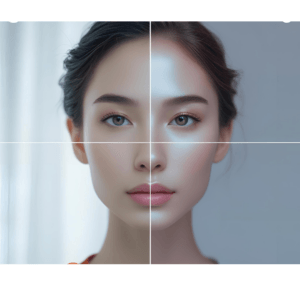
You are in the best position to understand how one clicks the best photo and finds out in the end that it was jammy. It is an act of the best of us, whether it is an experience on vacation or an electronic-signed document, or a picture of a product on your online shop. However, when an image turns out blurred, instead of getting rid of it or investing a considerable amount of time sharpening it, you now have a chance to fix a blurry photo in a couple of clicks with the Blur Image Sharpener on Writecream. This free online tool uses AI and can be used to sharpen pictures with no downloads whatsoever or technical understanding of the process. So here is how this tool can benefit in restoring clarity to your pictures in no time.
Before After
What is Writecream's Blur Image Sharpener?
Blur Image Sharpener is an open source, web based, AI driven image sharpening tool built by Writecream. Even before the user notices the importance, it intelligently sharpens the out of focus, soft edges as well as areas of the image that are blurry. It is easy as compared to conventional photo editing programs, which need expertise. It does not involve more than three things, upload, enhance and download. As a student, content creator, or business person, this tool will make all the grainy images clear within a few seconds.
Key Features That Make It a Must-Try
- On the-Go AI Sharpening Its advanced AI perceives the image in the best possible way based on razor-sharp photo sharpening algorithms which immediately clarify your image. No waiting and settings are required.
- Entirely Free and on line No installation. Zero sign up cost. 100 free. The only thing required is internet and a web browser.
- User Friendly Interface Drag and drop your out of focus picture. One click. That's it. No designing required.
- All Image Formats Compatible It does not decipher only certain formats this tool does not have any limitations when different JPEG, PNG, JPG, and others are processed.
- No Watermarks You obtain a clean final image, which will be suitable in resumes, advertisement, web sites, or even personal souvenirs.
How It Works - Simple Steps
Correcting such a blurred image will not consume more than 60 seconds with the help of this resource:
- Open the tool: Here Import your photo:
- drag your out-of-focus image in the application.
- Hit the button Sharpen: The AI begins sharpening your image.
- Save: with only one click, save the sharpened photo.
📸 Who Should Use This Tool?
This tool is very versatile too, you can use it in work (personal or professional) pictures:
- Students: Sharpen the scanned works or print the out-of-focus textbook pages.
- Content Creators: Prepare photos to be social media.
- Business Owners: Enhance product images publicly (in their Web pages and listing).
- Photographers: Retrieve the close to perfect shot which was marginally blurred.
- Bloggers: Clean images to correct misplaced articles and thumbnails.
Why Writecream's Blur Image Sharpener is Better Than the Rest
- Image enhancement tools are abound in the internet- but this is why Writecream beats the rest:
- Artificial intelligence: Intelligently knows when blur has happened, and corrects it.
- Learning curve: No learning curve.
- Absence of watermark: And not like other tools, the final version of your picture is clear and compact.
- No cost ever: Ideal eschewers of cost limits. Browser: Desktop, tablet or mobile- no software is needed.
Tips for Best Image Output
Wish to make the maximum out of this tool? These are the tips to follow:
- Post images with a higher resolution to get improved sharpening of images.
- Avoid compressed files that are too much.
- Wait a few additional seconds with files of a larger size.
- In some cases, you should not apply it to artistically blurred images since you may end up losing the required effect.
Final Verdict: A Must-Have for Everyone
In the busy and fast-paced world where you have only a few seconds to get your message across the information instead of the noise or even to come across as a company that takes care of business, the visual quality can make or break your message. Tools that help to enhance image quality are invaluable in achieving Blur Image Sharpener by Writecream is the best choice when it happens to be crucial to have clarity. It is free, quick, and is made suitable to any level of user. You can be in a rescue mission to salvage a photo, do some clipping or just make print quality. This tool is there to help. Don not waste your best photos. Make them have a second life now: Visit the Blur Image Sharpener by Writecream
Join Writecream for FREE!
In a few clicks and under 30 seconds, generate cold emails, blog articles, LinkedIn messages, YouTube videos, and more — no credit card required.
Start for FREE