
How to use the Random Story Idea Generator
Product/Brand Name:
Facebook App
Product Description:
Facebook is an online social networking website to connect with friends and family
Use Writecream's AI to generate
Not a content writer? No worries! Writecream makes it possible for everyone to write. Create 1,000+ word articles including 3-4 sections and reach out to your target audience in 30 minutes. No credit card required.
Free forever, upgrade as your business grows!
If you need help, please refer to the video tutorial above or the detailed step-by-step instructions at the end of the page
Go to the Writecream dashboard and choose the Blog Ideas generator tool from the dashboard
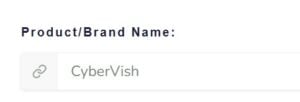
Now you need to add the title of your story in the text box provided below Product/Brand Name
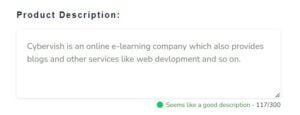
You have to write about what your story is in few sentences under Product Description
Hurray!! Got awesome idea's generated for stories, blogs and outline in just matter of seconds

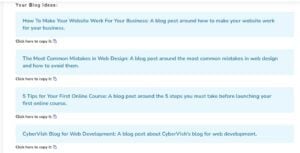
Choose one of the generated outputs or keep generating till the blog idea generator gives an output that as a content marketer you approve and contains your target keyword. It's that easy!

Product/Brand Name:
Facebook App
Product Description:
Facebook is an online social networking website to connect with friends and family
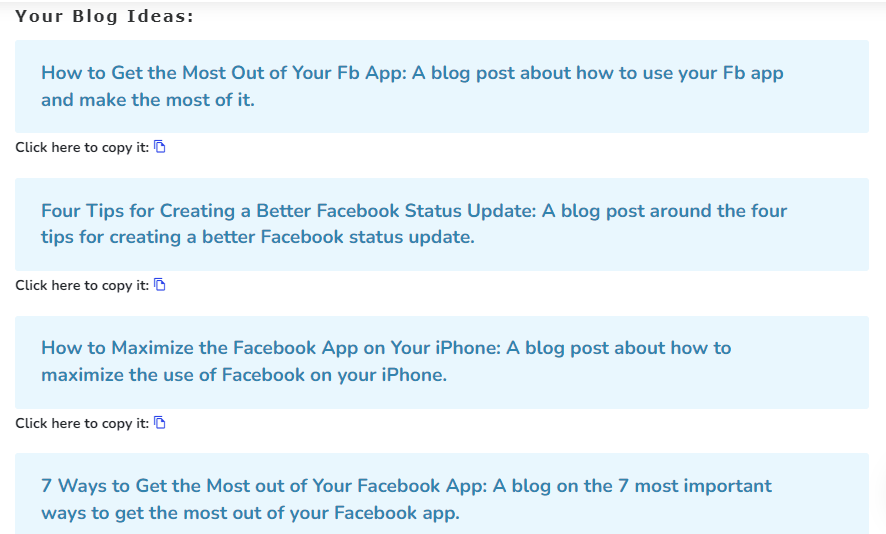
Start by entering a sentence or two describing what you need from the Random Story Idea Generator, then click on the "Generate- button.
Based on your input, our AI-powered Random Story Idea Generator will generate the most suitable random story idea for your needs - pick the one you like or regenerate until you're happy.
You can click on the chat button to have a word with our support team. If you prefer email, drop us a line at support@writecream.com
Yes, we have a bunch of them on our YouTube channel! We have videos for almost every feature and issue you may face.
Yes, you have the rights for the generated content. You are free to use it however you want.
Of course! Here is a 1,300+ word article written using Writecream: https://bit.ly/writecream-ai-blog
Using Writecream, you can generate a 1000-word article in less than 5 minutes. Here is a video tutorial in which we actually do that: https://www.youtube.com/watch?v=boqO6_H_6SQ
Yes, we have multi-lingual support. Writecream supports over 75 languages. The complete list is given below. Multi-lingual support is available across all our tools, including long-form editor (A.I Article Writer), cold email icebreakers, LinkedIn icebreakers, image icebreakers, audio icebreakers, voice-over, and more. List of supported languages: Afrikaans, Albanian, Amharic, Arabic, Armenian, Azerbaijani, Bengali, Bosnian, Bulgarian, Chinese (Simplified), Catalan, Chinese (Traditional), Croatian, Czech, Danish, Dari, Dutch, English, Estonian, Finnish, French, French Canadian, Georgian, German, Greek, Gujarati, Haitian Creole, Hausa, Hebrew, Hindi, Hungarian, Icelandic, Indonesian, Italian, Japanese, Kannada, Kazakh, Korean, Latvian, Lithuanian, Macedonian, Malay, Malayalam, Maltese, Mongolian, Norwegian, Farsi (Persian), Pashto, Polish, Portuguese, Romanian, Russian, Serbian, Sinhala, Slovak, Slovenian, Somali, Spanish, Spanish Mexican, Swahili, Swedish, Filipino Tagalog, Tamil, Telugu, Thai, Turkish, Ukrainian, Urdu, Uzbek, Vietnamese, Welsh
Yes, the outputs are free of plagiarism. Our A.I. generates a unique piece of original content for every output. There is also a plagiarism checker in the dashboard.
Yes! You can avail a no-questions-asked refund within 30 days after subscribing to one of our plans. Please use the chat option in the bottom right corner to raise a refund request or write to us at care@writecream.com.
No, a credit card isn't required.
Yes, you can upload a CSV file and the A.I. will generate personalized icebreakers for all the rows. Based on the number of rows, the processing can take some time.
Most of the personalized icebreakers are good to go. But we recommend taking out a few minutes and taking a quick glance through the generated icebreakers.
More AI tools you might like — all free, no login required.