Most creators don’t plan to start a business. You start by publishing content. Over time, readers engage, and a community forms. At that point, selling products becomes a natural next step.
You already know what the audience cares about, which platform they’re most active on, and what they’re willing to pay for. That puts you in a stronger position than most first-time sellers.
The challenge used to be execution. Traditional e-commerce requires buying stock upfront, making storage decisions, and making risky guesses about demand.
But today, with models like Print-on-demand, there’s no inventory, upfront cost, or risk. Design it, list it, sell it. From there, it’s just about having the right tools for content creators to launch an online store. That’s exactly what we’ll break down next.
1: Website and Online Store Builder
Tools: Shopify, WooCommerce, Wix
Your store needs a single place where your content and products coexist, especially if you want to monetize a blog with products instead of ads alone. For most creators, three platforms cover nearly every use case.
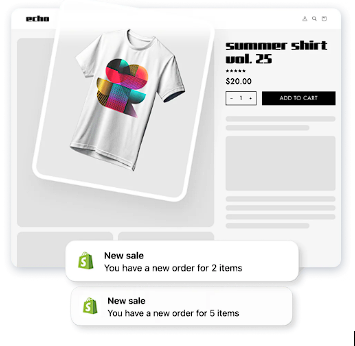
Shopify is purpose-built for selling. Inventory, checkout, payments, and shipping are all native, no plugins required. Hosting, checkout, security, and product pages are handled for you. You connect to a print-on-demand service, add products, and publish. As your business grows, you can add apps for advanced shipping, tracking, and fulfillment automation That’s it. As your store grows, pairing Shopify with a Shopify mobile app builder can help you create a faster mobile shopping experience, improve retention, and give repeat customers a more seamless way to browse and buy.
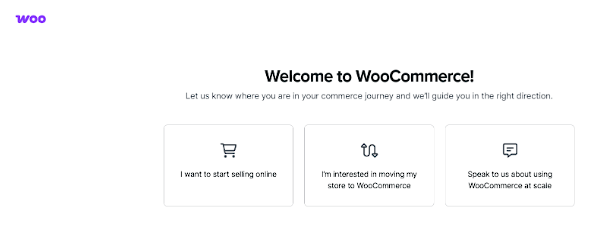
WooCommerce is the better fit if you’re already on WordPress. You’ll get full control over content and SEO. It takes more setup than Shopify, but it keeps posts, pages, and products under one roof. You’ll manage hosting, security, and plugin compatibility yourself here.
Wix is the fastest way to get something live. The drag-and-drop editor requires zero technical knowledge, and ecommerce is built in. It works for testing an idea or launching a small product line.
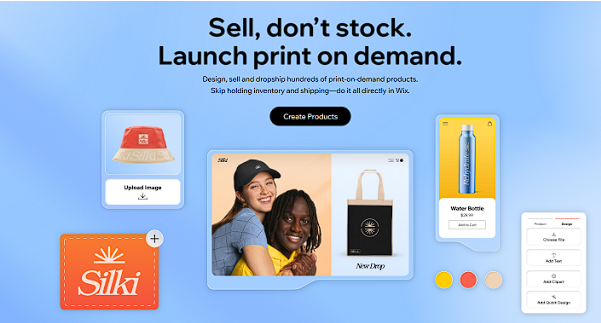
Our recommendation: If you’re starting fresh and want to sell, Shopify is the most straightforward option among ecommerce tools for bloggers. If you’re already on WordPress with an established audience, WooCommerce. Wix if speed matters more than scale right now. All of these offer easy integrations with print-on-demand platforms like Printful and Printify.
2: Print-on-Demand Platform
Tools: Printful, Printify
This is the tool that removes most of the risk creators fear: inventory. With print-on-demand tools for creators, you pay nothing upfront. When your customer orders, the product is printed and shipped, and the base cost is deducted from the sale. If a design flops, you’ve lost nothing.
The platform decision mostly comes down to Printify vs Printful.
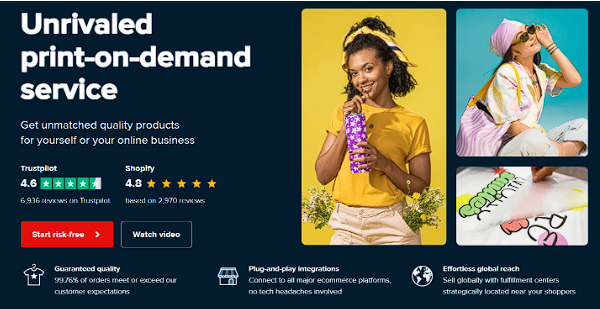
Printful runs on in-house fulfillment facilities worldwide, which means tighter quality control at every step. Every product goes through a 3-step quality check before it ships.
Their white-label fulfillment means customers receive packaging that reflects your brand, not Printful’s. They offer 475+ customizable products, from apparel to home decor.
Printify comes with a network of 90+ independent print providers across North America, Europe, Asia, and Australia. That means more flexibility: you can choose providers based on location, cost, and catalog.
With over 1,000 products available, Printify offers a wider selection. Their free plan gives full platform access with no monthly fee.
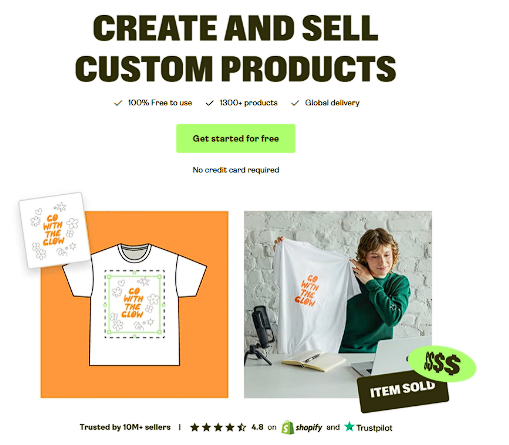
Both integrate directly with your store and automate the entire fulfillment chain.
3: Payment Processing Tool
Tools: Stripe, PayPal, Klarna
Once someone decides to buy, payment should be the least noticeable part of the experience. A payment processor does that by handling card details, digital wallets, and transaction security behind the scenes.
For most creators, Stripe and PayPal are the default choices because they’re already trusted by buyers and deeply integrated into ecommerce platforms.
Stripe is the infrastructure behind a significant portion of online commerce. It has processed over $1.4 trillion in payments, and its setup requires no custom development on any of the major store platforms. Stripe now supports more than 125 global payment methods, including cards, Apple Pay, Google Pay, and Buy Now Pay Later options.
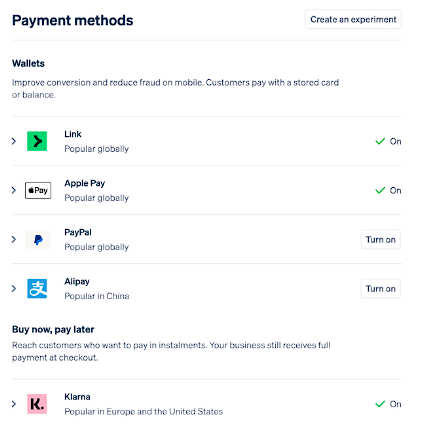
PayPal’s network reaches up to 400 million active accounts across more than 200 global markets, supporting transactions in 140 currencies. For a creator whose audience spans multiple countries, that reach matters. PayPal’s Fastlane feature has been shown to speed up checkouts by 32%, directly reducing cart abandonment.
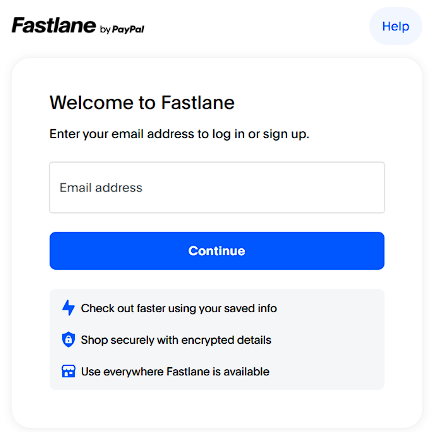
In practice, most stores enable both. You give buyers choices, and also remove reasons for hesitation at the final step.
4: Email Marketing Platform
Tools: ConvertKit, MailerLite
An email marketing platform gives creators a direct line to the audience. It’s not controlled by an algorithm and helps sell products during launches, limited merch drops, and restocks.
Tools like ConvertKit and MailerLite are built for this exact use case. They’re designed around creators, not large retail teams.
ConvertKit focuses on behavior-based emails. It lets you tag subscribers based on what they read, click, or buy, then send relevant updates instead of spamming everyone with the same message.
MailerLite offers a clean editor, automation, and landing pages, with no steep learning curve. It covers newsletters, automations, landing pages, and product announcements in one dashboard.
To make sure these announcements don’t get lost in the shuffle, creators often use GlockApps to test their emails against spam filters and verify that their messages reach the primary inbox.
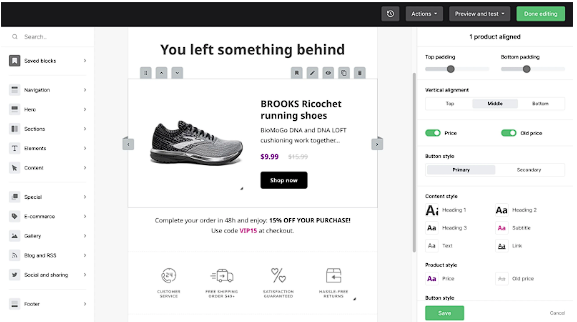
Both tools integrate with ecommerce platforms and print-on-demand stores. When someone buys, you can trigger follow-up emails, send care instructions, or offer early access to the next drop.
5: AI Writing & Copy Tool
Tools: WriteCream
Running a store means writing constantly: product descriptions, launch emails, landing pages, social captions, ad copy. None of this replaces your voice, but it does demand time and consistency.
WriteCream handles all of it. The platform gives you 75+ AI-powered tools built specifically around content creation and marketing copy. If you’re launching a store, you’ll find three use cases immediately practical.
- Product descriptions: Input your product details, and WriteCream’s Ecommerce Brand Writer generates copy that’s persuasive, on-brand, and aligned with how you already communicate with your audience.
- Email launch campaigns: The AI Email Writer generates complete emails in seconds based on your preferences, tone, and specific requirements.
- Landing pages: The AI Landing Page Tool produces headlines, body copy, and CTAs in one click. You can modify style and tone to match your brand, and the output is structured to convert.
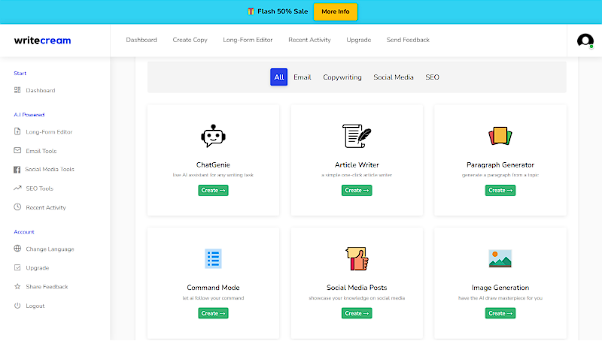
When used well, AI copy tools protect your time, so launching products doesn’t derail your content schedule. You enter the product name, key features, and target audience, and then select your tone, after which you receive structured, SEO-optimized copy ready to paste directly into your listing.
6: Design & Branding Tool
Tools: Canva, Adobe Express
Your products will only sell if people can picture themselves using them. And you’ll need creator merch tools that won’t demand professional design skills to get started.
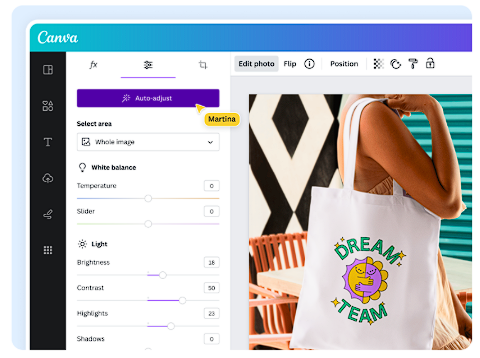
Canva is widely used by creators to design merch graphics, social posts, email headers, and store banners in one place. Its AI mockup tool lets you insert your design onto t-shirts, mugs, hoodies, and more in one click. This removes the cost of printing samples and hiring a photographer just to get product images for your store.
Brand kits help lock in colors, fonts, and logos so every launch looks intentional.
Adobe Express suits creators who want a bit more polish while staying beginner-friendly. It works well for logos, promotional visuals, and short-form content used in launches.
Its Built-in templates and resizing tools make it easier to adapt one design across platforms like Instagram posts, Stories, and Facebook banners without rebuilding it each time.
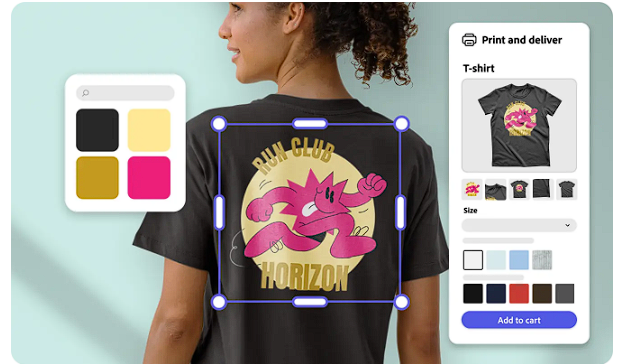
These tools reduce dependence on external designers. Both are beginner-friendly, too.
7: Analytics and Performance Tracking Tool
Tools: Google Analytics 4, Hotjar
If content drives your store, analytics tell you how efficient it is. Tracking that path, from blog post to product click to checkout, is how you can convert your one-off wins into repeatable systems.
Google Analytics 4 is free and the foundation of any creator store setup. Its ecommerce events track user shopping behavior across the full funnel. For example, Shopify’s GA4 integration automatically tracks page views, product views, add-to-carts, checkouts, and purchases without any manual configuration.
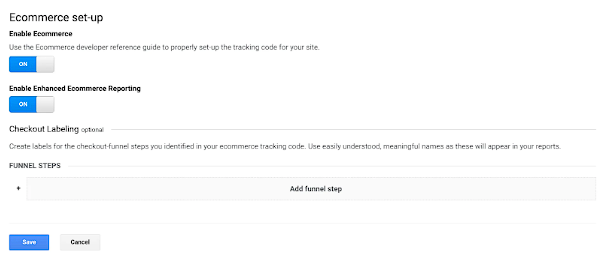
The most useful content, such as blog posts or videos that drive traffic and actually convert into sales, deserves more promotion.
Tools like Hotjar add the visual layer that GA4 can’t give you. Its heatmaps show where users click, move, and scroll across every page. Session recordings show you exactly how someone navigated your store, including moments where they clicked the same button repeatedly because it wasn’t working as expected.
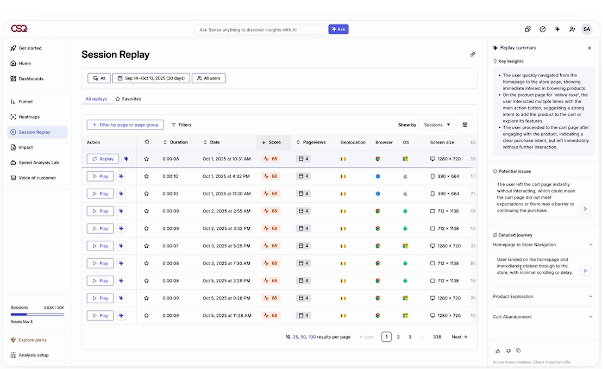
It connects directly to Shopify with no custom coding required, and a free plan is available with no time limit.
GA4 tells you the numbers. Hotjar tells you the story behind them. Together, they give you everything you need to improve what’s not converting. Once you know what converts, getting more qualified traffic is the next step. Agencies like 12AM Agency specialize in entity SEO and AI search visibility for creators ready to scale.
8: Social Media Scheduling and Promotion Tool
Tools: Buffer, Later, Hootsuite
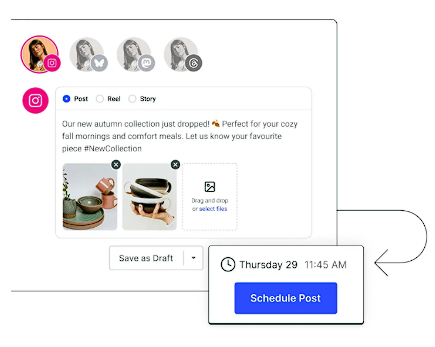
Promoting a merch drop isn’t a one-post job. It takes consistent visibility across multiple platforms over several days, and doing that manually means constant interruptions to your actual work. Scheduling tools let you plan an entire launch campaign in one sitting, set it to publish automatically, and step away.
This also solves the repurposing problem. Pull three lines from a blog post performing well, add a product callout, and schedule it across platforms. Clip a YouTube video, caption it, queue it. By doing this, you’re extending the reach of what already exists.
Creators commonly plan promotions without spending all day in social apps, using a few tools.
Buffer is straightforward and built for small teams and solo creators who want to schedule and move on. It covers Instagram, Facebook, TikTok, LinkedIn, YouTube, and X from a single dashboard, with a free plan that supports up to three channels simultaneously.
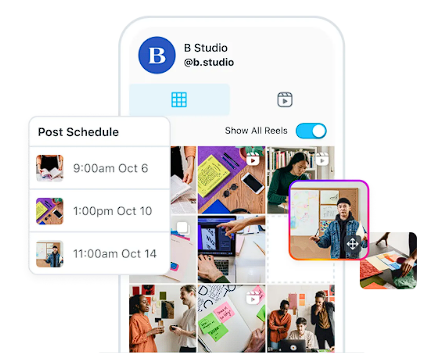
Later is the better fit for visual-first creators. Its drag-and-drop calendar lets you preview exactly how your Instagram grid looks before anything goes live, useful when your brand aesthetic is part of what sells your products.
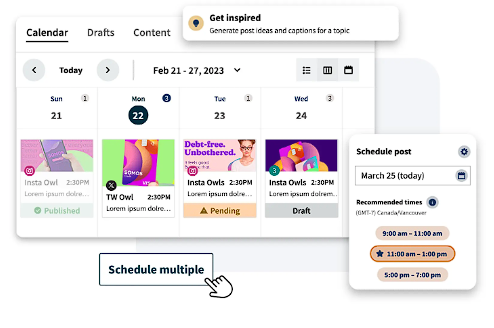
Hootsuite allows bulk scheduling up to 350 posts at once, social listening to track what’s trending in your niche, and AI-generated captions and post ideas built directly into the dashboard. It also integrates with Canva and over 100 other apps, making it a good option for creators managing multiple accounts at scale.
9: Automation and Workflow Tool
Tools: Zapier, Notion
At some point, running a store manually becomes unmanageable. Every order triggers a chain of tasks, such as confirming the sale, updating your email list, logging customer data, and sending notifications.
Individually, they take minutes. Collectively, they consume hours you don’t have. Automation tools break that pattern by connecting your tools so they handle routine tasks between themselves, without you in the middle.
Set the rules once, and the system runs them every time.
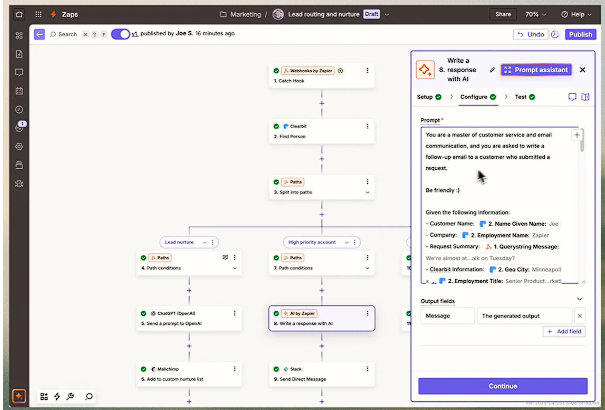
Zapier handles connections between your apps. When a customer places an order, it can simultaneously update your email list, trigger a follow-up sequence, and log the purchase data, all without manual input.
For example, it connects directly to Shopify and integrates with 8,000+ other apps, without requiring code.
For planning and clarity, many creators rely on Notion. It’s where your product ideas, launch timelines, content calendars, and store assets are in one workspace. And it replaces the scattered mix of notes, spreadsheets, and reminders most creators actually use.
Their free plan covers everything an individual needs.
Key Takeaway
The biggest mistake creators make is waiting until everything is perfect, like the right product, audience size, and the moment. Most tools in this stack have free plans. You can get a store live, products listed, and copy written before spending a dollar.
To get started, pick one product idea your audience has already responded to. Put it on Printful or Printify and get started with zero risk. Use WriteCream to write the product description, the launch email, and the landing page copy in the time it would normally take to write one.
The rest of the stack, the email, analytics, scheduling, automation, all layers in as sales start coming. You don’t need all nine tools on day one. You need a few and a reason to begin.