
Access OpenClaw 24/7 via Telegram Get Started

Use Writecream's AI to generate

Amazon Listing Generator

Your product listing will always be the determining factor of your sales thus, having a sloppy looking product listing is going to be detrimental to your profitability. create a eye catcy product listing's with writecream's AI powered tool. Try now No credit card is required.

Get free access here

Free forever, upgrade as your business grows!

  1. STEP 1

    Access the Dashboard

    Log in to the WriteCream platform and navigate to the dashboard. Locate and select the "Website Headlines/Copy- tool.

  2. STEP 2

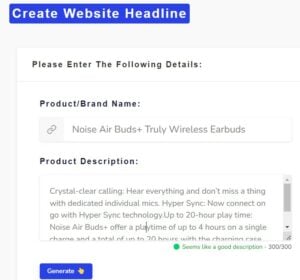
    Enter Product Name & Description:

    Provide the product name and a concise description, highlighting its key features and benefits. Click on the "Generate- button to generate a compelling title for your Amazon listing.

  3. STEP 3

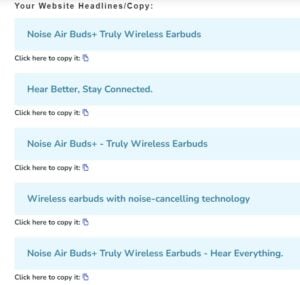
    Title Generated!

    Congratulations! The tool will generate a title that you can use for your Amazon listing. Utilize this attention-grabbing title to enhance your product's visibility and attract potential customers.

  4. STEP 1

    Access the Dashboard

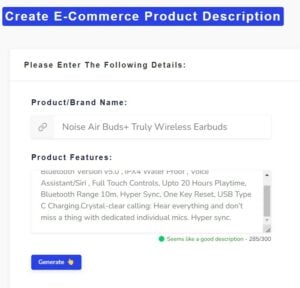
    Access the WriteCream dashboard and select the "E-Commerce Product Descriptions- tool from the available options.

  5. STEP 2

    Enter Product Name & Features

    Enter the product name and list its features in the provided fields. Once you've entered the necessary details, click on the "Generate- button to generate Amazon product descriptions.

  6. STEP 3

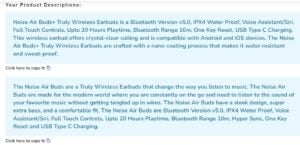
    Product Description Generated!

    Exciting news! The tool will generate a variety of product descriptions. Choose the one that best suits your needs and copy-paste it into your Amazon listing, showcasing your product's unique selling points effectively.

  7. STEP 1

    Access the Dashboard

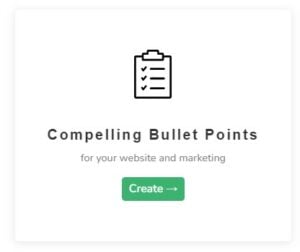
    Log in to WriteCream's dashboard and locate the "Compelling Bullet Points- tool.

  8. STEP 2

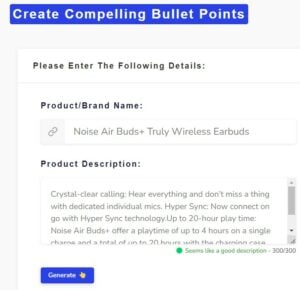
    Enter Product Name & Description

    Input the product name and provide a brief description, highlighting the product's features and advantages. After entering the details, click on the "Generate- button to generate bullet points.

  9. STEP 3

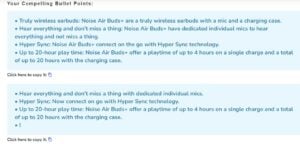
    Bullet Points Generated!

    Congratulations! The tool has generated a set of compelling bullet points for your Amazon listing. Incorporate these bullet points to captivate potential customers and effectively communicate the key selling points of your product.

  • Second step to create amazon listing is creating E-Commerce Product Description
  • Final step to create amazon listing is creating bullet points.

And ta-da, you will get your AI-generated Personalized tool matter of seconds!

You can Generate an Eye Catching amazon listings under 5-10mins and Grow up your business with amazon. Generate it with Writecream For Free. Try Now, No credit card required.

Introducing AI Powered Amazon Listing Generators

Amazon Listing Generators revolutionize the way sellers optimize product listings on Amazon. Powered by AI, these tools automate the process of generating seo optimized descriptions, bullet points, and titles, saving time and effort. By incorporating relevant keywords and following best practices, sellers can enhance visibility and attract their target audience. Streamlined interfaces and customization options ensure professional, visually appealing listings that stand out from the competition and drive sales growth on Amazon.

Transform Your Amazon Listings with WriteCream's AI-Powered Generator

There are numerous advantages of using Amazon Listing Generators, and here are just a few of them:

Time-Saving Efficiency: Amazon Listing Generators automate the process of generating optimized product descriptions, bullet points, and titles, saving sellers valuable time and effort in crafting compelling content.

Accurate Keyword Optimization: Amazon Listing Generators utilize advanced algorithms and keyword research tools to help sellers identify and incorporate the most relevant and high-converting keywords into their product listings, optimizing their visibility in Amazon search results.

Consistent and Professional Formatting: These generators provide pre-designed templates and formatting options, ensuring that your product descriptions, bullet points, and titles are consistently formatted and visually appealing, giving your listings a professional edge.

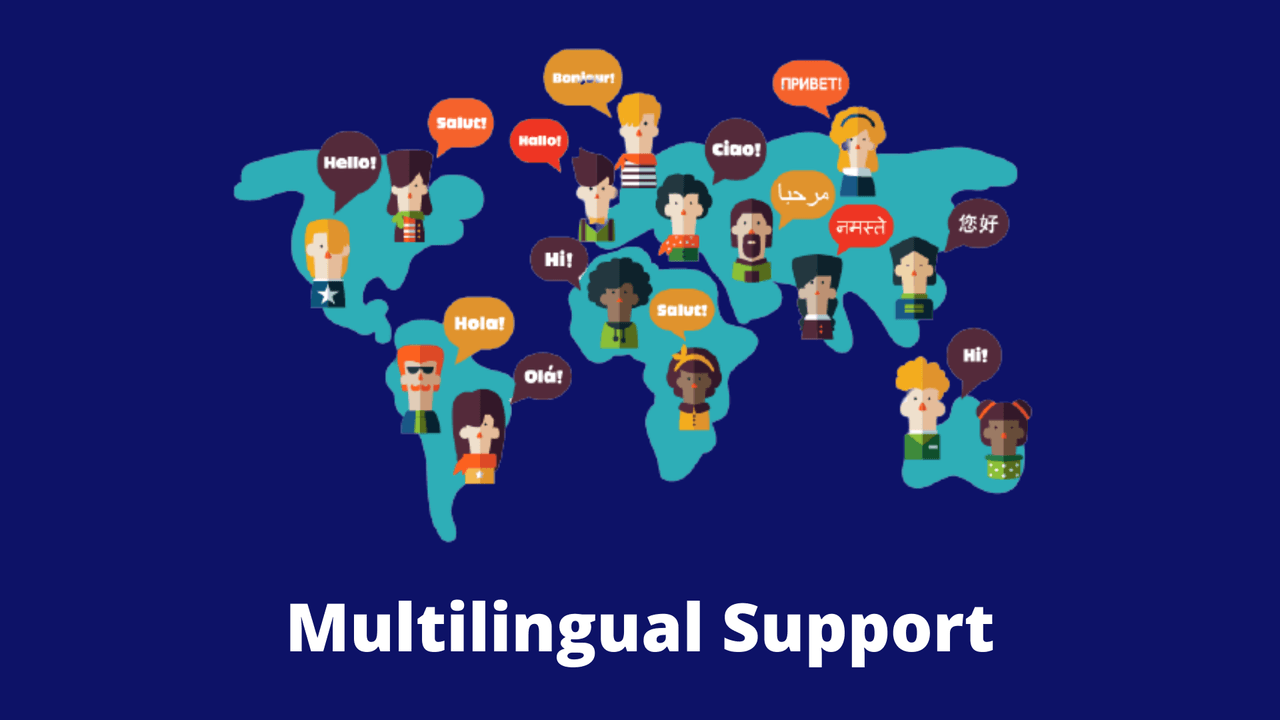
Multilingual Support: Some Amazon Listing Generators offer multilingual capabilities, allowing sellers to generate product descriptions in various languages, expanding their reach and catering to international marketplaces.

Transform your Amazon listings with WriteCream's AI-Powered Generator. Maximize sales and conversions by optimizing product descriptions, bullet points, and titles. Leverage AI technology and relevant keywords to streamline listing optimization and drive higher conversion rates. With WriteCream's innovative tool, you can create compelling and high-converting product listings on Amazon, giving your business a competitive edge in the marketplace.

To generate an Amazon listing, you can utilize three pre-made tools: Compelling Bullet Points, Website Headline Copy, and an E-Commerce product description. These tools assist in creating engaging bullet points, captivating headlines, and persuasive product descriptions for your Amazon listing.

Facebook and Google Ads

Generate ad copies for Facebook and Google at the click of a button by just entering your company name and what it does

Writer's Block

Never stare at a blank screen with the help of our copywriting tools based on Before-After-Bridge and Pain-Agitate-Solution

75+ Languages

Language is not a barrier for content creation with Writecream. Choose from over 75 languages for text, image and audio outputs

Steps to Generate Amazon Listings

To use this tools for free Signup for free Account

An Amazon listing has three text components: Title, Product Description and Bullet points.

To genrate amazon listing will need to use Three pre-made tools i.e., Compelling Bullet Points, Websites Headline Copy and E-Commerce product description.

First step to create amazon listing is creating a Title

Now You have Every thing to list your product on amazon, A Title, A Product Description & Bullet Points. Simply copy paste those things and list your product on amazon and grow your business attract more and more customers towards your business with eye catching amazon listings.

Steps to Generate Amazon Listings

To use this tools for free Signup for free Account

An Amazon listing has three text components: Title, Product Description and Bullet points.

First step to create amazon listing is creating a Title

Second step to create amazon listing is creating E-Commerce Product Description

Final step to create amazon listing is creating bullet points.

Unleashing WriteCream's Amazon Listing Generator in Simple Steps:

To generate an Amazon listing, you can utilize three pre-made tools: Compelling Bullet Points, Website Headline Copy, and an E-Commerce product description. These tools assist in creating engaging bullet points, captivating headlines, and persuasive product descriptions for your Amazon listing.

FAQs

How can I contact support?

You can click on the chat button to have a word with our support team. If you prefer email, drop us a line at support@writecream.com.

Are there any video tutorials or video links I can refer to create viral videos for my video channel?

Yes, we have a bunch of them on our YouTube channel! We have videos for almost every feature and issue, and questions people may face.

Can I use the generated content for commercial purposes and cold outreach campaigns?

Yes, you as a video marketer have the rights to the generated content. You are free to use it however you want.

Can content marketers share an article or blog post written using Writecream?

Of course! Here is a 1,300+ word article written using Writecream: https://bit.ly/writecream-ai-blog

What does a good Male Baby Name Generator look like?

There is no one template. You need to tailor your summary to each individual profile with relevant keywords. We have various examples to give you the perfect Male Baby Name to give your baby.

Does Writecream support languages other than English?

Yes, we have multi-lingual support. Writecream supports over 75 languages. The complete list is given below. Multi-lingual support is available across all our tools, including long-form editor (A.I Article Writer), cold email icebreakers, social media icebreakers, image icebreakers, audio icebreakers, voice-over, and more. List of supported languages: Afrikaans, Albanian, Amharic, Arabic, Armenian, Azerbaijani, Bengali, Bosnian, Bulgarian, Chinese (Simplified), Catalan, Chinese (Traditional), Croatian, Czech, Danish, Dari, Dutch, English, Estonian, Finnish, French, French Canadian, Georgian, German, Greek, Gujarati, Haitian Creole, Hausa, Hebrew, Hindi, Hungarian, Icelandic, Indonesian, Italian, Japanese, Kannada, Kazakh, Korean, Latvian, Lithuanian, Macedonian, Malay, Malayalam, Maltese, Mongolian, Norwegian, Farsi (Persian), Pashto, Polish, Portuguese, Romanian, Russian, Serbian, Sinhala, Slovak, Slovenian, Somali, Spanish, Spanish Mexican, Swahili, Swedish, Filipino Tagalog, Tamil, Telugu, Thai, Turkish, Ukrainian, Urdu, Uzbek, Vietnamese, Welsh

Are the generated outputs free of plagiarism?

Yes, the outputs are free of plagiarism. Our A.I.-powered Meta Description Generator generates a unique piece of SEO content with focus keyword and SEO keywords for every input to impact search engine optimization.

Is there a money-back guarantee?

Yes! You can avail a no-questions-asked refund within 30 days after subscribing to one of our plans. Please use the chat option in the bottom right corner to raise a refund request or write to us at care@writecream.com.

Do I need a credit card to get started?

No, a credit card isn't required.

Do I need to make any changes to the personalized icebreakers?

Most of the personalized icebreakers are good to go. But we recommend taking out a few minutes and taking a quick glance through the generated icebreakers.

Wait! Before you go...

Sign up to get 10,000 words per month for FREE!

Please enter your name and email below: